

Electronic Dropshipping Products and Suppliers
Compare five beginner-friendly electronics and four supplier routes, then verify compatibility, sample performance, documentation, warranties, and returns.
In 2026, dropshipping electronic products means selling electronic goods that a third party ships to your buyer. Simple computer and phone accessories are often easier to support than costly devices or products with large batteries.
Running a niche-products Shopify store taught me that product excitement fades quickly when returns and delivery go wrong.
This guide compares five candidates and four supplier routes. It then helps you choose one exact item to sample or reject.
Key takeaways
Are electronics good for dropshipping?
Electronics can work for dropshipping when you choose a simple item and state exactly what it works with. Name the warranty owner and explain returns. A supplier can change a plug or chip but keep the same product photo. It can also swap the cable or manual. The customer then gets something different from the product on your page.
Start with a boring accessory that solves one clear problem. Its lower support load gives you time to learn the category. Costly devices, apps, or battery shipping can wait.
You need a named model, document owner, and warranty contact. Without them, a cheap catalog price has little value.
Reject that gap before you buy a sample.
Summary: A low catalog price can't repair a missing product record.
5 electronics to dropship
Five electronics candidates are a Bluetooth shower speaker, ergonomic mouse, USB hub, charging cable, and wireless car charger. Each remains a test candidate until its current SKU record and sample pass.
Use this product shortlist,
- Bluetooth shower speaker
- Ergonomic computer mouse
- USB hub
- Charging cable
- Wireless car charger
The reviews below explain how to test each sample and when to reject it.
1. Bluetooth shower speaker
Choose a Bluetooth shower speaker only after its water, controls, charging, and sound pass a sample test. Use it for a bathroom-audio offer. Its purpose is easy to show, so buyers can grasp it quickly.
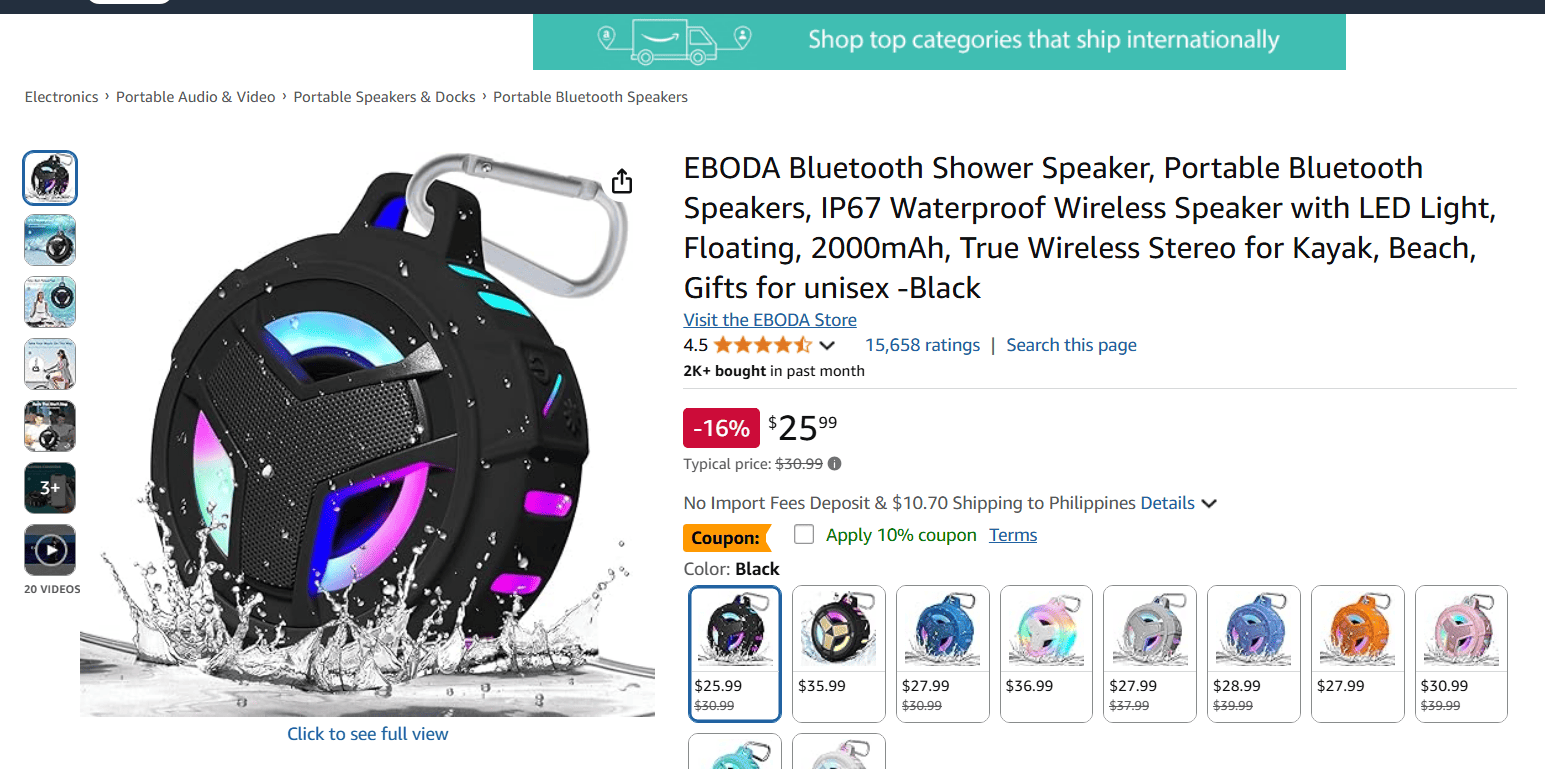
Start with the exact sample and its records,
- Get the manual, model number, battery details, and charging input.
- Test the named phone models and operating-system versions, recording each pass or failure.
- Request the test report behind any water-resistance claim.
- Test buttons, microphone, charging port, and audio at bathroom distance.
Keep the offer tied to bathroom listening by showing the controls, charging-port cover, and mount. Promise only the water exposure in the supplier's record. Broader outdoor claims need their own record and test.
Reject the speaker if the supplier uses a vague "waterproof" label or can't replace a dead unit. Moisture damage, weak sound, and charging failures can all become defect claims.
Alt text: Current product-research readout for the exact Bluetooth shower speaker variant, with the date and source visible.
2. Ergonomic computer mouse
An ergonomic mouse suits a workstation offer when you can specify its fit, connection, and system support. Record its buttons and power source too. It can replace an uncomfortable or poorly matched office mouse. A sample also reveals most basic faults before a customer finds them.
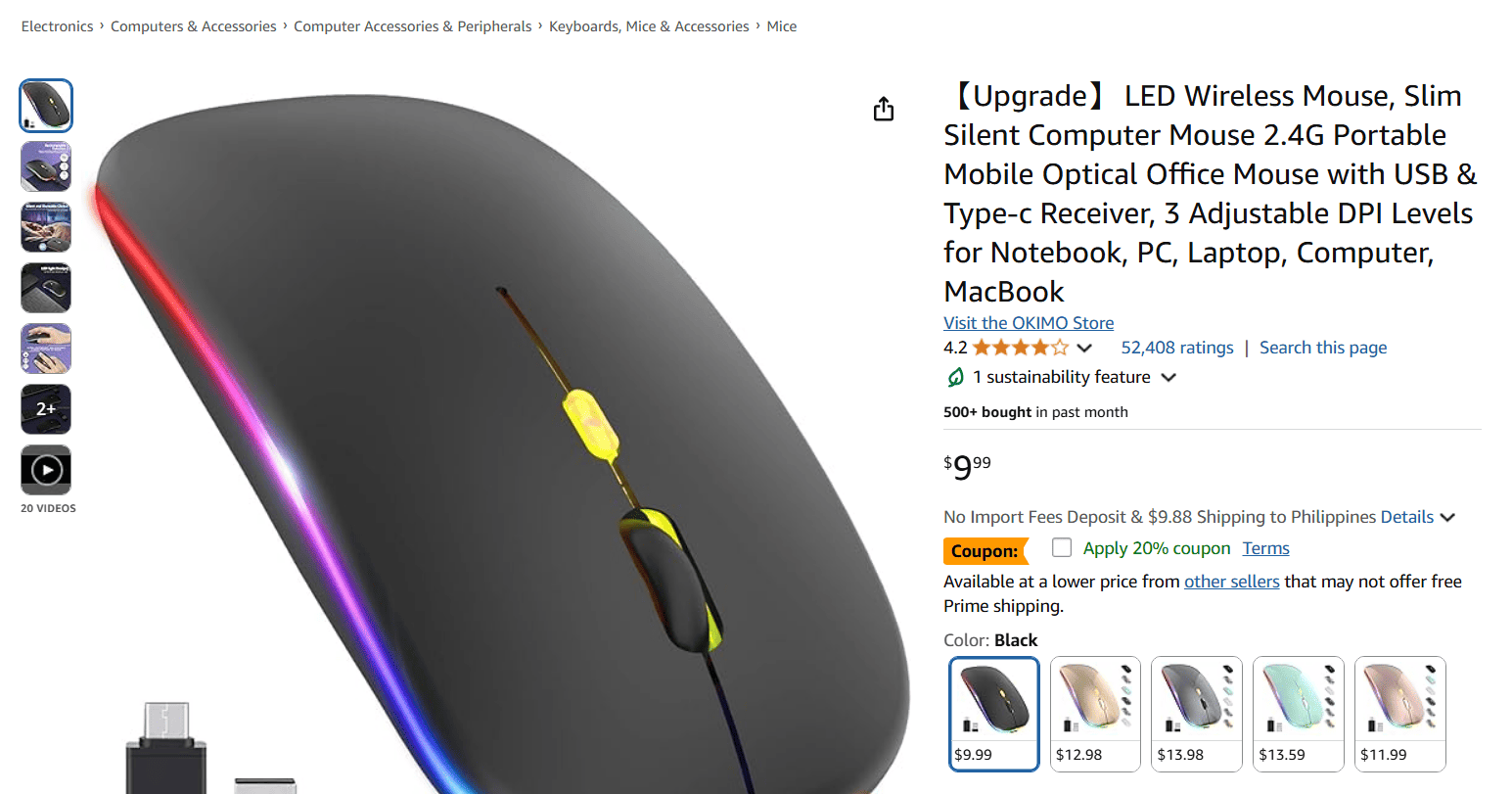
Put the mouse through these checks,
- Record whether it uses Bluetooth, a USB receiver, or both.
- Check the manual for supported systems and required software.
- Pass it only when pointer movement stays steady, scrolling and buttons match the listing, and the mouse wakes and reconnects after pairing.
- Confirm the receiver and power source match the listing.
Choose one buyer before you write the page. Office buyers may care about quiet clicks and comfort. Gaming buyers also judge latency, sensor behavior, and software.
The same shell can hide different hardware. Record the revision you tested, and reject later changes until a new sample passes.
Hand size and grip style change the experience, so avoid broad comfort promises. Skip the mouse if gaming buyers expect low latency or software that the supplier can't maintain.
Alt text: Current product-research readout for the exact ergonomic mouse variant, with the date and source visible.
3. USB hub
Build a USB hub offer around one device family or work setup, and state its limits plainly. A hub can solve a specific port shortage without the cost of a full device.
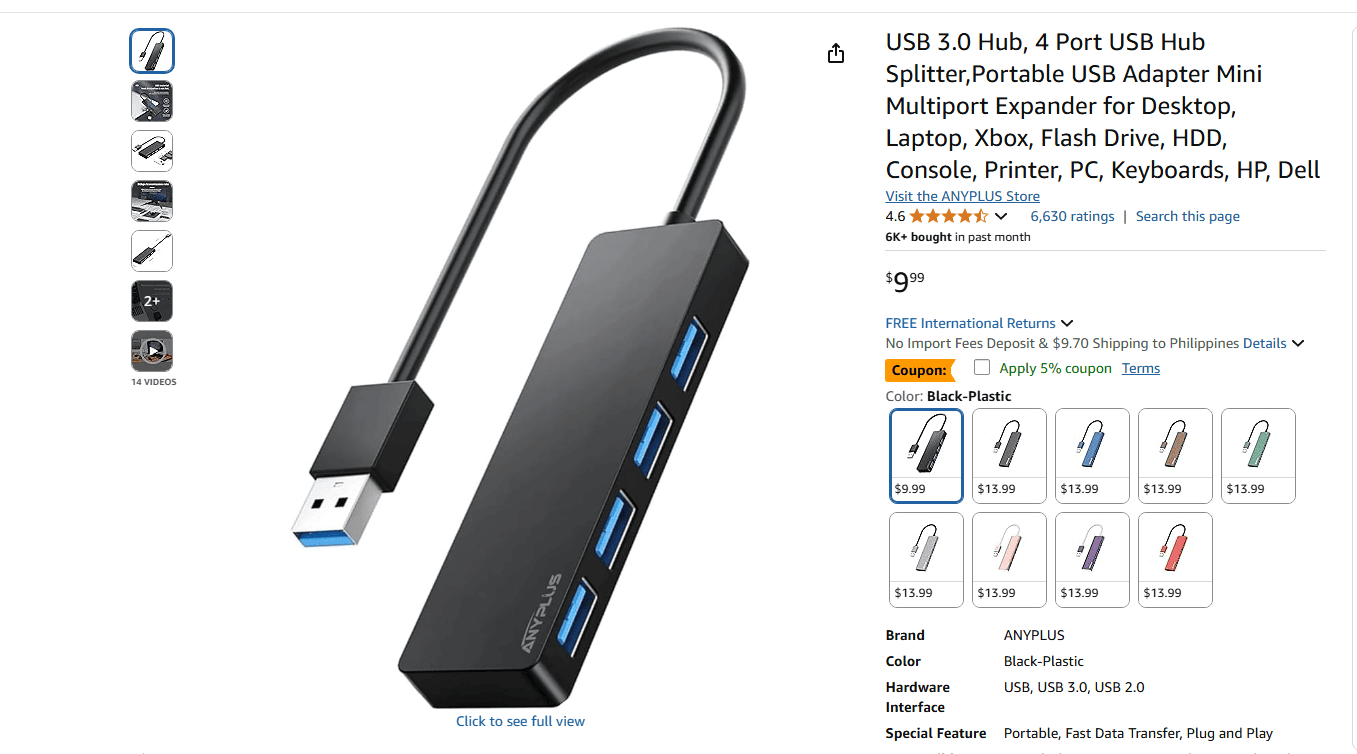
Data rate, display mode, and charging level depend on separate supported features. The USB Implementers Forum guidance treats the connector and those features as separate details. Connector shape alone isn't enough.
Test the whole setup before you write the offer,
- Record the device family and operating system.
- Match each data claim to the hub, host, and cable.
- State the display conditions that passed your test.
- Confirm simultaneous ports, external power needs, charger, and charging level.
Together, those details show buyers which setups will work.
State the supported hosts, display modes, and power needs because some laptops lack them. A missing host feature can make a working hub look defective.
Alt text: Current product-research readout for the exact USB hub variant, with the date and source visible.
4. Charging cable
A charging cable works when the page names both connectors, supported power, data capability, and length. It replaces a missing, incompatible, or underpowered cable. The small package is easy to sample and ship.
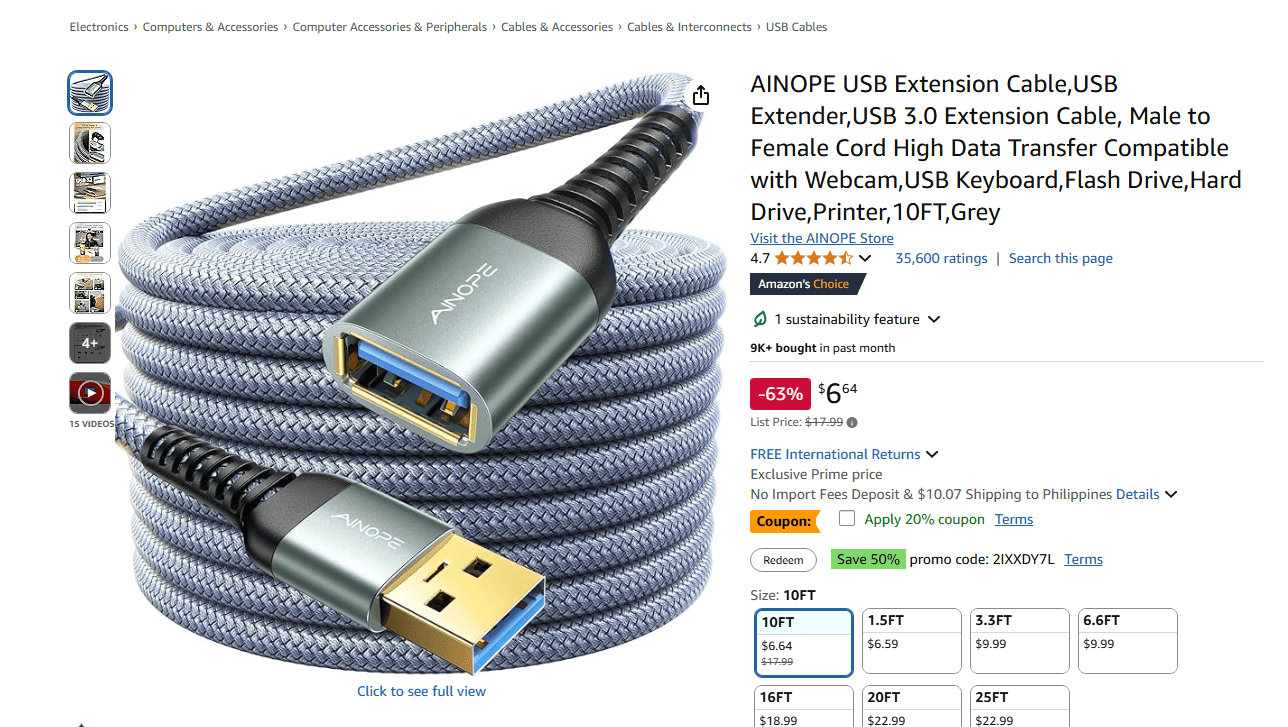
The USB Implementers Forum notes that cables have different abilities and certified uses. I prefer one whose markings, product record, and test agree.
Test the cable against its listing,
- Name both ends and the supported device types.
- Test each claimed power and data job with suitable devices.
- Measure the sample and compare its length with the listing.
- Bend both strain-relief points during the sample test.
Name the exact job in the title, such as charging a supported laptop or moving data between named connector types. Buyers can then compare it without treating the connector shape as proof.
Low prices make a cable hard to sell without a clear length or device-fit angle. Durability or easy storage may set it apart.
A supplier swap can undo those claims. Reject any version whose construction, power, and data record no longer match the SKU.
5. Wireless car charger
Sell this easy-to-show wireless charger only after phone, case, charge, mount, cable, and adapter checks pass. Each part risks a return.
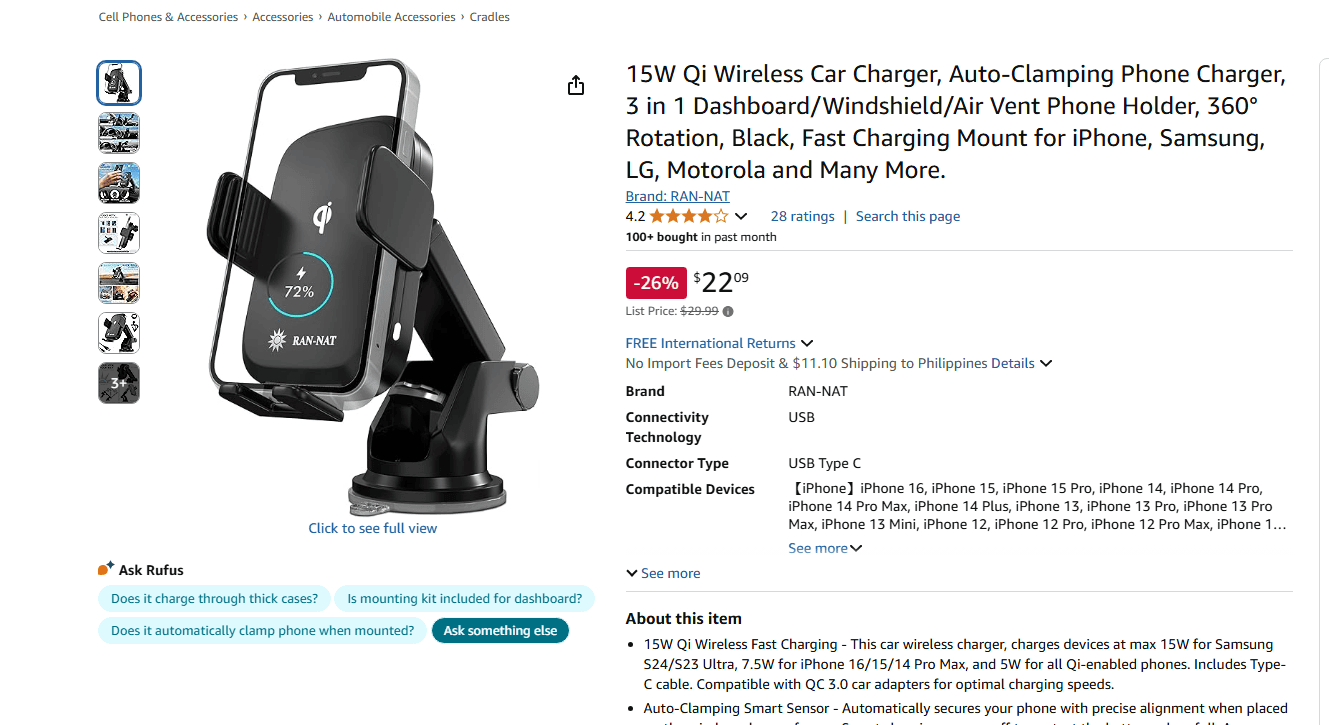
Check Qi claims in the Wireless Power Consortium product database.
The consortium says certified products get a WPC ID and appear there. Match the ID to supplier model.
Verify the claim, then test the full setup,
- Match the Qi claim to the database.
- Record the profile, gear, and result.
- Try each listed surface and vent.
- Test the included cable and adapter.
List tested phones and case thicknesses. Show the mount. Give support the test vent, surface, cable, and adapter.
Thick cases and camera bumps can break alignment. Weak vents, rough roads, and heat may rule it out. Skip hard-to-maintain compatibility charts.
Use these fields to find winning products. Each idea must pass.
4 electronics supplier sources
Four electronics supplier sources to compare are Spocket, AppScenic, SaleHoo, and EPROLO. They cover regional catalogs, supplier directories, and agent-led sourcing.
Compare these routes,
- Spocket
- AppScenic
- SaleHoo
- EPROLO
I checked all four public pages on September 9, 2026. Use their public claims to choose a route. Then review the supplier behind the SKU.
1. Spocket
Spocket is one catalog for tech accessories from several suppliers and locations. Its current tech-accessory page lists US and EU suppliers in several accessory groups.
Before choosing a product, use the page to,
- Confirm whether the catalog covers audio, mobile, computer, or other accessories.
- Identify the supplier, warehouse, processing time, and destination coverage.
- Check the sample option, warranty terms, and return instructions.
- Save the supplier's name and ask who will fulfill later orders.
- Confirm whether another warehouse uses the same model.
This route fits Shopify-style product imports and order handling. Your answers show whether the sampled SKU supports your claims.
Choose another route if you need factory documents before contacting the seller. Each supplier controls its product quality and return terms. Catalog inclusion alone isn't approval.
2. AppScenic
Choose AppScenic when you want regional electronics suppliers with stock and order automation. Its current electronics page lists its supplier regions and store links.
Check the route before importing a product,
- Look for suppliers in the US, UK, EU, Canada, and other markets.
- Confirm Shopify, WooCommerce, Wix, Ecwid, or eBay support.
- Identify the seller, warehouse, dispatch promise, and supported destination.
- Find the warranty contact and return address for that SKU.
Check every claim against the product record. Stock syncing can reduce manual work. It can't correct a false compatibility claim or name a missing warranty owner.
You may need an account to see enough detail for a final choice. Pick another route if the public page is your only proof. Do the same if its regional seller can't supply the exact variant.
3. SaleHoo
SaleHoo is a screened directory for sellers who will deal with wholesalers themselves. Its current electronics directory has details for researching each contact.
Work through the directory and supplier in this order,
- Review verified labels, supplier types, locations, years listed, and product categories.
- Separate manufacturers from wholesalers before outreach.
- Request the catalog, target-market coverage, and minimum order.
- Ask for sample terms, model documents, and processing time.
- Confirm the return process and warranty handling.
- Place a sample order with the supplier you may use.
SaleHoo gives you more control over supplier talks. You must still follow through. Put every answer in a dated quote.
Directory screening establishes the supplier's identity. Assess the product separately. Choose another route if you need automatic fulfillment. A directory badge can't tell you how your sample will perform.
4. EPROLO
EPROLO uses a clear product brief to help an agent find and ship the item. Its current company page describes sourcing, stock management, global shipping, and platform links.
Send the agent one variant sheet that covers these points,
- Confirm product sourcing, inventory management, global fulfillment, and major store or marketplace integrations.
- Name the model, connectors, protocols, power input, and included parts.
- Attach the required documents and packaging details.
- State the destination and return needs.
- Ask which factory, warehouse, carrier route, and support process will fulfill it.
Use the sourcing talk to choose one variant. Record it on the purchase order. Hold any later swap until a new sample passes.
Use EPROLO after you fix the final source and route. A later factory or part change can still invalidate the sample and listing.
A sample and test order give you evidence about the SKU's defect rate. Compare its warranty process with the written terms. Public pages don't provide either answer.
Electronics beginners should avoid
Beginners should avoid lithium-heavy devices, drones and remote-control vehicles, portable printers, security cameras, and unbranded high-ticket devices. Each adds support work that simpler accessories reduce.
For beginners, these five deserve a stricter screen,
- Lithium-heavy devices face blocked fulfillment over battery type, route, packaging, or replacement terms.
- Drones and remote-control vehicles need specialist support for parts, batteries, and repairs.
- Portable printers bring repeated questions about paper, ink, apps, drivers, and moving parts.
- Security cameras extend support into privacy, networks, storage, alerts, and firmware.
- Unbranded high-ticket devices can trigger a costly refund, replacement, or dispute.
A specialist can reconsider one after setting up approved sourcing and tech support. It also needs test records and a local return route.
Until those systems exist, keep it off the list.
Summary: Adding one complex device can change the support operation your store needs.
Electronics risks after the sale
Post-sale risk grows when the listing, product, and supplier terms describe different versions of the same SKU. The customer uses the item with other devices. The catalog page may not explain that setup well.
The harder decisions start after a buyer reports a failure.
This table is a screening framework. It doesn't report measured defect data. Use it before you write the return policy:
Warranty ownership means deciding who receives, checks, pays, and closes a defect claim. The buyer will still contact your store when the product fails. Put that handoff in writing before the first sale.
Have a buyer-role reviewer mark each unclear promise. Then ask a support-role reviewer to flag claims that lack records, authority, or funds.
For US sales, use the CPSC Business Education Library to find current product guidance.
Its pages cover product rules, tests, certification, labels, and online sales. Check the governing text and current scope before adding a legal claim. Keep the wording within that support.
Battery shipping needs its own route check. Some lithium-battery shipments need carrier approval, and carriers accept only certain shipment types. Get written approval for the exact battery, package, route, destination, and service.
Summary: Write the failure path before you publish the return-policy promise.
Verify electronics before listing
The Electronics Variant Check is a pre-listing checklist for one SKU. Use it to review functions, costs, warranty, and a backup source.
Run the check in this order,
- Lock the SKU and documents
- Test every advertised function
- Price defects and warranty
- Freeze the listing and backup
Record each result on the same variant sheet. Move on only after the step passes.
1. Lock the SKU and documents
Write one variant sheet before you order. It keeps the sample and customer listing tied to the same product. Use it to record the exact variant you plan to sell.
Record these fields on the sheet,
- Name the SKU, maker, model, revision, connectors, and protocols.
- Record the power input, included parts, and software dependency.
- Identify the supplier, known factory, warehouse, target market, and route.
- Add the manual and every product record the supplier provides.
- Match the model and document owner across every file.
A supplier may swap a part without changing the link or title. Date the sheet. Require written approval before the replacement advances.
2. Test every advertised function
Test the exact sample in every setup your page will claim to support. Match your test gear to the planned offer.
Recreate the buyer's setup with these parts,
- Use the same host device, cable, charger, plug, and voltage.
- Install the named app when the product depends on one.
- Match the advertised case and mounting surface.
Turn the planned product copy into a pass-and-fail sheet. If the page says a hub drives a display, test that path. A claim about charging through a case needs a test with the named range. Photograph the model label and result. The supplier's proof still sets the claims you can make.
Our product research workflow helps you choose what deserves a sample.
3. Price defects and warranty
Add failed-unit costs and assign warranty ownership before setting the sale price. Count every cost from the purchase through a failed claim.
Record these costs and owners,
- Add the item, shipping, duties, and payment fees.
- Include customer support, refunds, replacements, and return or disposal costs.
- Name who receives the complaint and approves the claim.
- Assign who pays, where the unit goes, and when the buyer gets a decision.
Place a tracked test order through the route you plan to use. Reserve the full refund, replacement, support, and return cost for one failed order.
Reject the product if that reserve leaves no positive contribution margin. A supplier warranty has little value if the buyer must fund costly overseas return shipping.
4. Freeze the listing and backup
Publish only what passed the first three steps. That includes the claims, images, parts, route, and support terms. Save the approved listing beside the variant sheet. The pair makes later changes easier to spot.
Set recheck triggers for these changes,
- Recheck a new model, component, factory, or warehouse.
- Recheck a new carrier, package, app, or document.
- Recheck any change to the warranty or return address.
Pause orders when one changes, then run that check again. Use a backup supplier only after its variant passes the full check.
Dropship.io's research tools can help you decide which product deserves the check.
Use Dropship.io's Competitor Research to see how active stores position the exact variant before you raise your budget.
FAQ
Who handles a defective unit?
Your store handles the buyer, and the warranty owner handles the assigned next steps. Record who approves, pays, receives, replaces, and closes each claim before the first order.
Can every courier ship battery products?
No. Get written approval for the exact battery, package, route, destination, and service before you promise delivery.
Must I support the product's app?
Support every app-based function promised on the product page. Skip the product unless the supplier provides updates, setup help, privacy details, and a recovery path.


