

How to Find Your Best Keywords for Facebook Ads
Shows how to discover and validate Facebook audience signals while keeping targeting interests separate from persuasive ad-copy keywords.
To learn how to find your best keywords for Facebook ads, separate audience labels from the words people read in the ad. Meta targets interests, behaviors, and demographics, while Google Ads matches typed searches.
We've run Facebook ad sets for our own stores. This guide uses 5 discovery and validation steps to build 2 short lists. One holds targeting options Ads Manager accepts, and the other holds persuasive words for the creative.
Key takeaways
Why isn't Facebook keyword research like Google research?
Facebook uses targeting options to choose the audience, while Google Ads keywords match ads to searches. In Meta Ads Manager, Detailed Targeting lets you choose interests, behaviors, and demographics that describe the people you want to reach. The words in your headline and primary text must earn attention and a click.
Facebook builds those signals from activity across its services. Pages someone follows, content they engage with, and shopping behavior may affect how Meta groups that person.
Meta starts by showing the ad to people who match your choices, although its automated tools can expand beyond them. Treat a manual interest as a testable starting point because Broad and Advantage+ targeting may find buyers outside it.
Interest research gives the wider campaign a starting audience. Profitable Facebook ads also need sound tracking, creative testing, and budget decisions, so targeting should be judged inside that setup.
So record different information for each platform. A Google list keeps the exact query and its intent. A Facebook list keeps the available label, its type, the buyer reason, and your account's audience estimate.
On the copy sheet, save the customer's own problem wording from reviews or support questions. Pair it with a benefit you can prove and the action the ad asks them to take. A phrase may work in copy even when Meta doesn't offer it as a targeting option.
5 ways to find your best Facebook ad keywords
The first four methods supply ideas or timing, and the fifth checks whether a targeting option can reach enough people. Use them in this order:
- Suggested Keywords: Start from a product, brand, or activity.
- Categories: Browse Facebook's targeting taxonomy without a seed term.
- Keyword tools: Translate search demand into Facebook targeting concepts.
- Google Trends: Find when interest in the product rises.
- Audience validation: Read the current reach estimate in Ads Manager.
Suggested Keywords, Categories, and keyword tools build your shortlist. Google Trends adds timing. The validation section then removes choices that are too narrow or too broad for a useful first test.
Keep one row per targeting option. Record its source and complete the buyer-reason prompt from the introduction. Leave room for the audience estimate and a pass, fail, or uncertain decision.
Check the exact label in Ads Manager before you score it because discovery tools only supply ideas. Record the broader concept and try another method when the label is missing. Your working list should contain options you can select in the account.
Write down plausible ideas during discovery, then keep only options Ads Manager offers. A choice passes when the buyer reason is clear and the meter shows no narrow-audience warning for the country and budget you entered.
Use the uncertain label only after launch. It belongs to a choice that passed the meter but returned a cost per result above break-even. That separation keeps audience eligibility from being confused with campaign performance.
1. Facebook's Suggested Keywords
Detailed Targeting's suggestions are the fastest way to see Facebook's interest names. Start with a seed tied to your product, its use, or a known brand. Meta returns related demographics, interests, and behaviors.
Follow this short discovery pass:
- Open the ad set: Go to the Audience area in Meta Ads Manager.
- Enter a seed: Type one product category, activity, or known brand.
- Save candidates: Record three to five suggestions that describe likely buyers.
- Read the type: Note whether each suggestion is an interest, behavior, or demographic.
Suppose you sell a compact travel pillow. "Travel" is broad enough to reveal nearby interests, whereas a full product phrase may return nothing. We begin broad because Facebook's label rarely matches what a customer would type into Google.
Apply these three rules after the first search:
- Keep: Save a suggestion when it describes a likely buyer.
- Reject: Drop a label that only repeats the product word without buyer context.
- Try next: Change the seed after two searches return no new buyer type.
These suggestions reflect Meta's current taxonomy. An option from an old guide may have disappeared, merged, or changed meaning, so validate every saved label in the separate audience check below.
Brand seeds work when the brand signals the same use or buyer group as your product. A famous name from a nearby category may return a large audience yet offer a weak buying reason. Save the relationship in plain language before you keep the suggestion.
2. Facebook Categories
Category browsing finds targeting options when you don't have a clear seed term. Browse groups demographics, interests, and behaviors, showing traits you may not think to type.
Work through the tree with three decisions:
- Pick the closest branch: Start with the stable trait or activity behind the purchase.
- Sample nearby choices: Save one or two labels, then inspect a neighboring branch.
- Stop on repetition: End the browse after two branches add no new buyer reason.
A travel accessory may fit a travel interest or frequent-traveler behavior. A product for new parents may fit a demographic route. When two labels describe the same buyer, keep the clearer one until the validation step shows whether their reach differs.
Category browsing takes longer because many branches have weak buying relevance. It works best for stable traits and activities. Save a short-lived problem in the copy sheet when Meta doesn't represent it as a current targeting option.
The category type tells you what the label means. Demographics describe who the person is, interests reflect topics or activities, and behaviors describe actions Meta groups together. Keep that type in your sheet because two identical-looking labels can represent different targeting logic.
Use the branch path as a quality check. A label buried under an unrelated parent category usually has a weaker product connection than its name suggests. Return to the nearest relevant branch, choose the option whose path matches the buyer reason, and send it to validation.
3. Keyword tools and what they're for
Search tools reveal demand and customer language, but Facebook needs a matching targeting concept. Ahrefs, Semrush, and AnswerThePublic are optional inputs rather than separate recommendations. Use the tool you already have because the translation step stays the same.
Use these four steps to turn a search term into a Meta option:
- Enter the product topic: Search the category rather than a long product title.
- Collect related concepts: Keep terms that reveal a use, buyer, activity, or known brand.
- Search Detailed Targeting: Look for Facebook categories that represent each concept.
- Discard dead ends: Drop phrases with no credible targeting equivalent.
For a hiking water filter, a tool may surface backpacking, camping, and emergency preparedness. An exact phrase such as "best lightweight hiking water filter" stays in search research. The related activities move forward only if Detailed Targeting recognizes them.
Dropship's Interest Explorer can also generate ideas. In each tool, a use case may point to an activity, while a comparison may point to a brand. Put a problem phrase on the copy sheet when Meta has no matching option.
Reject the link between a search and an interest if you can't explain the product connection in one sentence. A large audience still gives you little reason to expect demand when that connection is loose. You can review sponsored Facebook ads when the same wording needs a live creative reference.
4. Google Trends for demand timing
Google Trends schedules a validated-interest test, while the earlier methods find targeting options. Compare the product topic across a full year in the country you plan to target.
Read the chart in three steps:
- Match the market: Keep the country and time range fixed across comparisons.
- Find the pattern: Look for a rise that returns in the same season.
- Mark the start: Plan the test before the peak so it can gather results.
Search timing can reflect the outside events that affect social buying. Demand for portable fans may climb with hot weather, while gift products may rise before holidays. We look for the start because launching after the peak leaves less time to learn.
Facebook demand may follow a different pattern. Impulse products can sell without a search spike, and gift purchases can respond to the creative itself. Use Ads Manager to judge audience fit and Trends to judge timing. Each answers a different question.
Related topics can also reveal the broader category that buyers use. Add a related topic to the research sheet only when it gives you a new season or use case. Keep a rising query on the copy sheet when it supplies useful customer wording but has no matching Meta option.
Run the timing check again before a later seasonal campaign. Search interest may start earlier or later than it did in the prior year, so the old launch date is a planning clue. The current chart decides when the next test should begin.
Validate the interest before you spend
Check each saved option in Ads Manager's audience-definition meter before launch. Audience Insights was deprecated in 2021. The meter updates reach as you add criteria, so use the estimate shown in your account.
The estimate shows how many people may be eligible in your selected country. Campaign results reveal impressions, clicks, and buyers. Use the meter to catch delivery risk before the live test.
Classify the pre-launch result with two labels:
- Pass: The meter shows a workable audience with no narrow-audience warning.
- Fail: Added filters shrink the estimate until Ads Manager flags delivery risk.
Jason Gan's guidance gives 1 to 3 million people as a directional range for one national market with a much larger Facebook population. Treat it as a market-specific example because country, product, budget, and account signals change what works. Your meter and test economics decide the useful range.
When a second condition triggers a warning, remove it and compare the estimate again. The option passes when Ads Manager removes the warning and both choices still describe likely buyers. A pass that later returns a high cost per result becomes the uncertain case handled in the troubleshooting section.
Meta consolidated targeting options with a January 15, 2026 deadline. Affected ad sets could stop delivering, so some earlier interests may no longer be selectable.
How to use your keywords in Facebook ads
Build the audience in Detailed Targeting, then write the message that audience will see. Keep the two tasks separate:
- Detailed Targeting: Add interests, behaviors, and demographics at ad-set level.
- Ad creative: Write benefits, proof, and a next action people can see.
Relevant targeting and a strong offer must work together. Use this workflow:
- Build one audience: Add a validated option at the ad-set level.
- Choose one copy angle: Match the message to the recorded buyer reason.
- Name the test: Record the audience, angle, offer, and next variable.
- Read both sides: Fix the targeting when the audience is wrong, or rewrite the ad when the message is unclear.
This order makes each result easier to diagnose. Our guide to setting up a Facebook campaign covers the campaign steps that surround this audience-and-message test.
Give each test record one row. Include the ad-set name, country, targeting option, audience estimate, copy angle, offer, budget, start date, and cost per result. Those fields let you compare like with like before you change anything.
Choose the next change from the weakest field. Fix the audience when eligibility is wrong because better copy won't repair who can see the ad. Revise the message when response is weak, and review the offer when clicks fail to become purchases. This sequence keeps one weak result from turning into several unrelated edits.
Add validated interests to Detailed Targeting
Detailed Targeting terms decide who can see your ad, and they stay in the ad-set settings. Add one validated interest, then watch the estimate when you add or exclude another condition.
We start with separate ad sets when the budget can support a fair comparison. Combining options makes sense when one is too broad, but every extra "AND" condition shrinks eligibility. Require both only when you can explain the connection in one sentence.
Run this pre-publish check:
- Read the combined estimate: Two workable options may become too narrow together.
- Name the ad set: Include the interest and any narrowing condition.
- Reopen the panel: Confirm country, age range, exclusions, and every condition.
- Save the setup: Keep the final settings beside the result you later review.
Separate tests cost more because each ad set needs enough budget to produce a useful comparison. They fit a measurement question. A combined audience fits a campaign where both conditions define the same buyer.
The way you combine options changes the meaning. An "OR" setup lets a person match either choice and usually expands the audience. An "AND" setup requires both and usually narrows it. Write that logic in the ad-set name so the result remains clear later.
Exclusions can also change the estimate. Add one only when you can name the group that would otherwise enter the audience and why it can't buy. Recheck the meter after the exclusion because a sensible rule can still leave too few eligible people.
Add persuasive keywords to your ad copy
Words in your ad give the selected audience reasons to respond. Collect phrases from reviews, support questions, and active competitor ads. Keep one when it names a real problem, provable benefit, or clear action.
Build the message from four usable elements:
- Problem: Name the situation without claiming a private trait about the viewer.
- Benefit: State what the product changes in concrete terms.
- Proof: Add a truthful review, demonstration, or supported statistic.
- Action: Tell the reader what happens after the click.
Meta's advertising standards restrict ads that assert or imply sensitive traits about the viewer.
Write "Support for long flights." A question such as "Suffering from back pain?" implies knowledge of a health condition, while the first line states the product benefit.
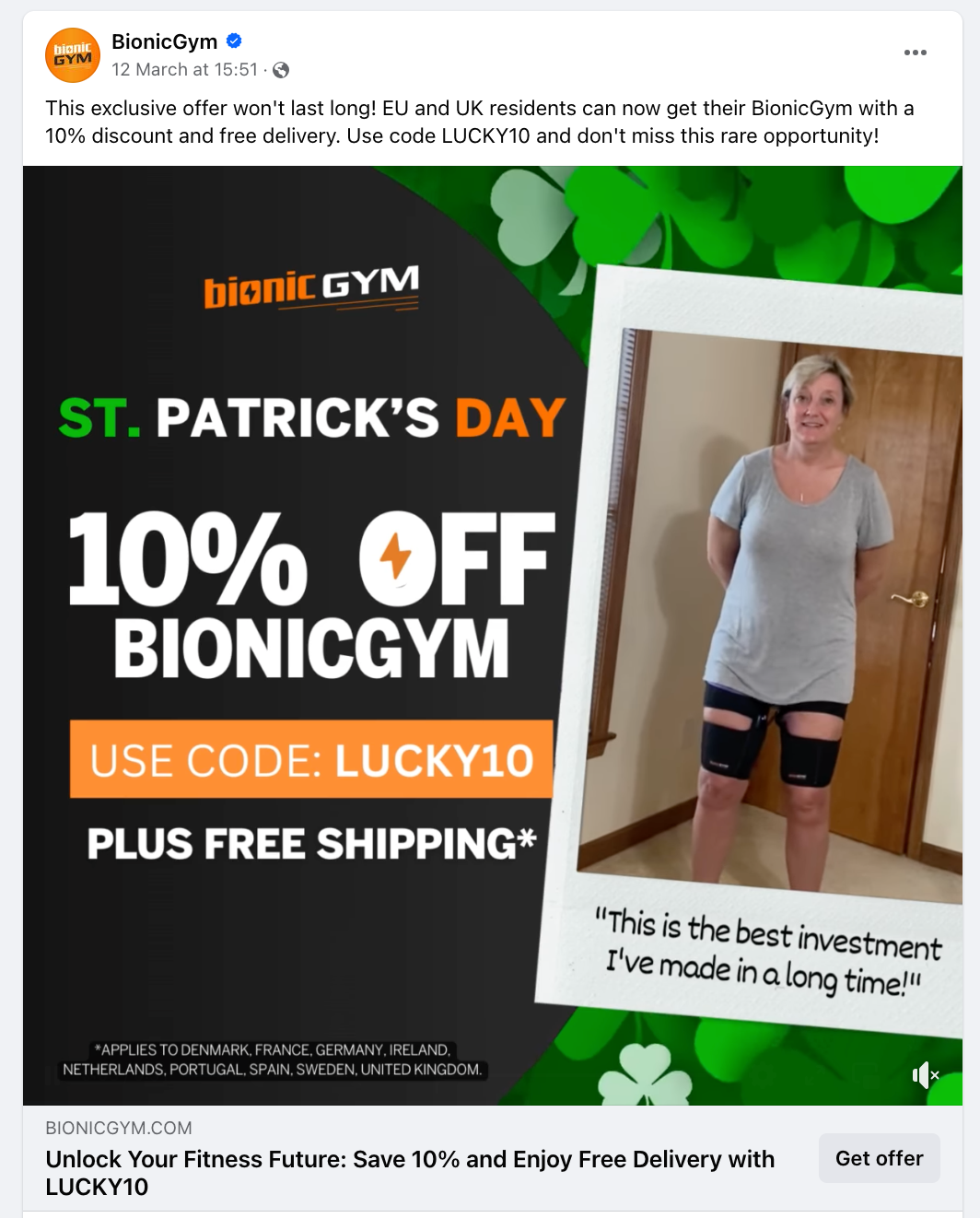
The examples show different copy jobs. Their status reveals nothing about profit, so study the message instead of treating an ad as a winner.
When a good interest still underperforms
A workable audience can still return weak results when the creative, offer, budget, or targeting is wrong. The meter checks delivery potential. Your cost per result shows whether people respond at a price the store can afford.
Diagnose the failure in a fixed order:
- Confirm the interest: Make sure Meta still offers the same targeting choice.
- Read the delivery status: Wait until Ads Manager leaves Learning and results can be compared with break-even.
- Test the creative: Change one hook or visual while keeping the audience fixed.
- Test the offer: Change price, bundle, or proof without changing every variable.
- Revisit targeting: Replace the interest only after the earlier checks fail.
An uncertain result passes the meter but returns a high cost per result. If the audience can deliver, we test the creative before replacing the interest. Hold the audience, budget, placement, and test duration steady while you change one hook or visual.
Confirm that Ads Manager still applies the chosen option because interests can change or disappear after consolidation. Then judge stability from the delivery status, result volume, and your break-even target.
When the creative is the likely problem, review active competitor ads for hook ideas. Activity reveals nothing about profit, so use those ads as inputs for your own controlled test. Our recommendation is to validate the live option and its audience first, then change one variable per test.
FAQ
How do I find popular keywords on Facebook?
Find popular targeting options through Detailed Targeting suggestions, category browsing, and search-demand tools. Keep a widely recognized label only when it describes a plausible buyer, then run the separate Ads Manager validation step before testing. Use Google Trends later to schedule the test.
Can I do free Facebook ad keyword research?
Yes, Meta Ads Manager and Google Trends cover the core process for free, while paid keyword suites remain optional. A suite earns its cost when several people need saved search data for many products or countries and the free workflow creates duplicate work.
Should I combine interests or test them separately?
Test interests separately when you need to identify which one produced the result. Combine them when both conditions define the buyer or one option is too broad. Separate tests cost more, but they show which audience deserves more budget.
What mistakes do people make when picking interests?
The common mistakes are choosing labels that only sound relevant, stacking filters, and trusting old screenshots. Write the buyer reason, check the estimate after each change, and save the country, date, setup, and result so you don't repeat a failed combination.


