

Where to Buy Prebuilt Shopify Stores (2026)
A verified comparison of seven store builders and four business marketplaces helps buyers choose the right acquisition route and check costs, assets, product demand, and handover terms before paying.
If you're deciding where to buy prebuilt Shopify stores, start with either a turnkey builder or a marketplace for operating businesses. Builders charge for setup packages, while marketplace sellers use revenue and profit to value their stores.
We checked every provider against its own site, and four entries had changed enough to alter the list. The price and status table below shows the result.
We've run our own Shopify stores. That work taught us that a prebuilt store leaves you with the hardest judgment. You must learn whether anyone wants its loaded products. This guide helps you choose the right buying method and check the store before you pay.
Key takeaways
- Turnkey sellers provide storefronts, while marketplaces transfer operating businesses.
- 7 verified builders sell setup packages with different scopes and delivery times.
- 4 marketplaces list revenue-producing stores, usually at a profit-based valuation.
- The purchase price doesn't include ongoing Shopify fees, product validation, or customer acquisition.
- Confirm the assets, product demand, first-year cost, and handover terms before buying.
Before you pay for a loaded storefront, run the products it comes with through our Product Library to see whether they still have demand.
Where can you buy a prebuilt Shopify store?
You can buy a configured storefront from a turnkey or custom builder, or an operating business from a marketplace. Builders sell design and setup work. Marketplaces may transfer customers, traffic, supplier relationships, and sales history.
The distinction matters more than the seller's headline price. A low-cost storefront begins with no proven demand, while an operating store commands a valuation because the seller can show past sales and profit. Both choices still need close inspection.
Prices and provider status, verified September 2026
Seven builders use package or quote-based pricing, while four operating-business marketplaces use seller-set prices or profit valuations. Check the linked offer in its native currency before paying:
Four changes explain why the list is shorter. Dropship For Sale now directs buyers to SiteToBuy.
Brandafy no longer lists its former store packages.
Lemon.dev sells a theme instead of a built store. Our own former paid store has become the current BuildYourStore.AI offer.
We verified public offers, prices, and published package details. We didn't purchase and transfer every store here. Private handover quality still needs buyer checks.
Keep currencies separate when you compare current quotes. Converting a foreign-currency offer into dollars adds an exchange rate that can change before checkout, and your bank may add a transaction fee. Compare the seller's native price first, then calculate the amount your payment method will charge that day.
Sale labels deserve the same care. A crossed-out reference price doesn't lower the cash leaving your account. Record the current checkout figure, what the package includes, and whether tax or another fee appears later. That gives you a useful quote you can compare with another seller's written offer.
Where to buy a prebuilt Shopify store: 11 verified providers
These 11 providers cover seven built storefronts and four marketplaces for operating businesses. Each entry covers the available price evidence, buyer fit, and main diligence risk.
The providers appear in this order:
- BuildYourStore.AI: Free AI-built store for a first test.
- Adsellr: Flat-priced packages with different product counts.
- BeBiggy: Low-cost premade niche stores delivered quickly.
- Ecomency: Named niche storefronts visible before purchase.
- Dropbuild: Custom builds with launch assets included.
- SiteToBuy: Named stores with domain transfer.
- BigBuy: European store tied to a supplier network.
- Flippa: Broad self-serve marketplace with buyer-led diligence.
- Empire Flippers: Vetted, profitable businesses at higher prices.
- Acquire.com: Metrics-led marketplace for established online businesses.
- Quiet Light: Broker-guided acquisitions for larger purchases.
Start with the buying method you need, then compare sellers within it. Entries 1 through 7 sell built storefronts.
1. BuildYourStore.AI (Dropship.io)
BuildYourStore.AI is the best fit when you want to inspect a loaded storefront before paying a builder. This is our own service, and its main advantage is the promotional build model. Its offer says the store takes under two minutes to create. You get 10 products and an included .store domain.
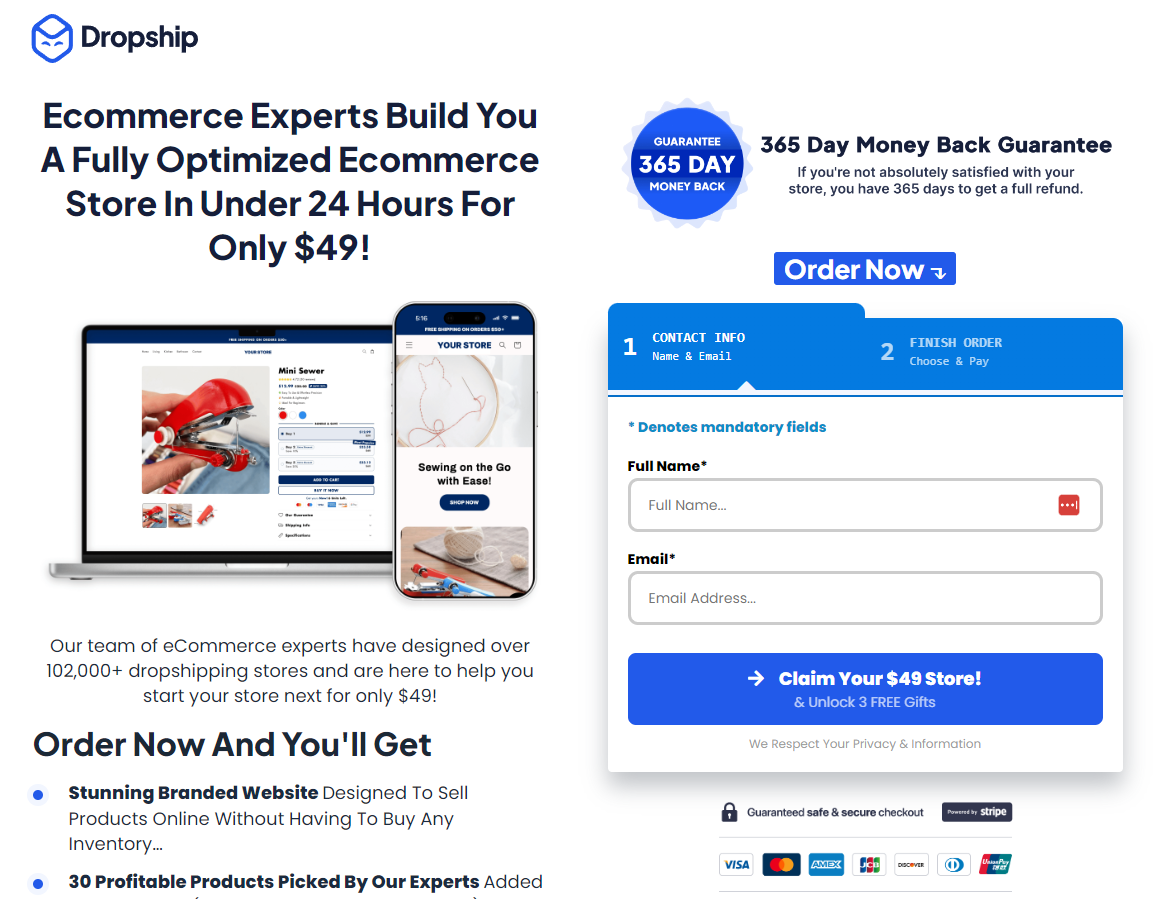
You receive a themed Shopify storefront rather than an operating business. It works for a first-time seller who wants a starting structure. It fits poorly if you need a unique design or proven products. The product choices are suggestions whose demand still needs testing.
Free setup still carries operating costs. You need a paid Shopify plan after any trial or promotion. Ads, apps, samples, and customer service also cost money.
2. Adsellr
Adsellr uses one fixed price across three store sizes, making it most useful for buyers who want a larger loaded catalogue. The September 2026 check found the same price on its one-product, 25-product, and 100-product packages. The seller says the store is completed within 5 business days.

The packages include a Shopify store, products, supplier connections, and launch material such as ad creative. A buyer who wants those assets in one order gets more than a bare theme. Someone with a niche outside Adsellr's available catalogue gets less value because the store starts from the seller's product selection.
We'd choose the 100-product tier only if all three packages remain the same price at checkout. The provider still uses the wording "winning product for 2024." Accept those products only when recent demand, supplier stock, delivery time, and landed margin pass Check 3.
3. BeBiggy
BeBiggy is the budget choice for buyers willing to accept a reusable niche package with 24-hour delivery. The catalogue shows each tier's current price, niche, and product count before purchase.
This route works when speed and a low entry price matter more than exclusivity. It fits a buyer who wants to test whether a niche storefront can convert, while a buyer who needs a custom brand or a store built around a private supplier should pass.
Because BeBiggy can resell a named package, confirm whether the theme, logo, domain, and catalogue are exclusive. The low price loses value if you must replace most of the creative work.
4. Ecomency
Ecomency shows each named niche store before purchase, which suits buyers who want to inspect the package first. Its storefronts use store-specific pricing and include 24-hour delivery with seven days of support.

That model fits someone who has already chosen a niche and likes one of the available stores. It works poorly for a buyer seeking a smaller setup bill, or whose supplier plan doesn't match the products already loaded.
Its constant sale framing makes the crossed-out "regular" price unhelpful. We'd judge the offer by its checkout price. Then we'd compare its theme license, domain, logo files, product data, supplier links, and support against Check 2.
5. Dropbuild
Dropbuild bundles launch creative with its custom stores, making it useful for buyers who need both. Its one-product and niche packages use separate fixed prices, with published delivery of seven and 10 days. The offer also includes a Facebook advertising strategy.

Those extras help when you want one vendor to prepare the storefront and initial campaign material. A buyer who already has creative, or who needs a store within a day, would pay for work they don't need or wait longer than necessary.
Dropbuild's creative assets haven't been tested with your audience. Treat the ads as a starting set. Keep them only when the product, supplier, and message fit the market you plan to reach.
6. SiteToBuy
SiteToBuy combines a named storefront with its domain, which suits buyers who want both transferred together. Its PowerPedalStore example carried a store-specific asking price. The seller promised transfer of the site and domain within 24 hours. Dropship For Sale now points visitors to this business.
The combined transfer saves a separate domain handoff, and seeing the named store can reduce design surprises. You can inspect its public pages before making an offer.
It's a poor fit for buyers budgeting only in US dollars. Your dollar cost will change with the exchange rate and your card's foreign-transaction fee.
Before accepting PowerPedalStore's catalogue, verify stock, delivery time, and landed margin for its lead product. Ask for the exact theme license, domain transfer process, supplier links, and support period too.
7. BigBuy
BigBuy bundles an EU-facing store with its supplier network, which suits sellers who want both from one provider. Its dropshipping-shop page uses one fixed package price across its store types. The offer connects the storefront to BigBuy's catalogue and European logistics operation.

BigBuy's supplier model suits sellers who serve markets where its fulfilment makes sense. It's a poor fit if you want an independent catalogue or several supplier apps.
The shop is built around BigBuy's products and services, so the supplier and storefront decisions stay tied together. Changing suppliers may require rebuilding the catalogue and its sync setup.
Delivery timing remains unknown. BigBuy's verified page gave no clear build time, so get that date in writing before paying.
Entries 8 through 11 are marketplaces for businesses with sales history.
8. Flippa
Flippa's dropshipping marketplace suits buyers who are ready to lead their own due diligence. Sellers set their own asking prices, and the platform offers listing and funds verification features.

The marketplace is useful after Shopify's Exchange Marketplace closure because it lets buyers browse many independent sellers in one place. A lower-priced listing can suit a hands-on buyer, while someone who wants every seller vetted before publication should choose a stricter marketplace.
The assets vary by seller and may include the store, domain, supplier ties, ad accounts, email lists, and operating records.
Review depth varies by listing. Compare the profit-and-loss statement with payment-processor exports and Shopify reports. Check ad accounts, supplier invoices, and traffic analytics too. Leave the deal if the seller won't reconcile those records.
9. Empire Flippers
Empire Flippers screens profitable businesses before listing them, which suits buyers with larger budgets. The company says its team vets applicants and lists businesses already producing profit. Listings use profit-multiple valuations rather than fixed package prices.

The vetting gives you documented performance, and the profit multiple makes the pricing logic visible.
This choice suits a buyer purchasing an operating asset rather than a starter storefront. It's a poor fit for most first-time sellers because ecommerce listings tend to cost far more than turnkey stores.
The financial commitment raises the standard of proof. Even after platform screening, verify traffic concentration and supplier dependence. Check account transfer, refunds, and recent profit as well. We'd pay the premium only when the records show earnings that don't depend on the departing owner.
10. Acquire.com
Acquire.com's metrics suit buyers who want to screen established businesses before contacting a seller. The marketplace advertises thousands of vetted businesses. Buyers can evaluate web, customer, and financial figures. Shopify stores are one part of its broader inventory.

Acquire.com's filters suit buyers with set acquisition criteria, but they work poorly for someone seeking a cheap theme with products. Its listings are businesses that call for financial checks.
The public material leaves the depth of Shopify verification unclear. Use the listing to shortlist a business. Then check its figures in the connected accounts during a live diligence session.
11. Quiet Light
Quiet Light uses advisors and vetted listings, which suits a first-time buyer seeking help with a larger deal. Its buyer FAQ says fewer than 10% of potential sellers become clients. It also says each buyer remains responsible for due diligence.

The advisor-led process helps organize questions and handover work. A self-serve buyer seeking many low-cost stores will find less inventory than Flippa offers.
Available listings may include the site, brand assets, supplier arrangements, staff, stock, and documented operating systems.
Quiet Light publishes no stable Shopify-specific price range. Ask for current matching listings and their valuation basis. Those figures will show whether a brokered purchase fits your budget.
Turnkey, custom, or an existing store?
A turnkey store sells a repeatable setup, a custom store sells tailored build work, and an existing store sells a trading history. Customers and financial records drive the differences in price and risk:
A store with only a few sales belongs in a gray area. The seller may call it established, but a thin sales record gives you little confidence that demand will continue. Price it like an unproven storefront unless the underlying order, profit, traffic, and supplier records support a business valuation.
The work that stays with you also differs. Turnkey and custom builders usually finish when the agreed store assets are delivered. You then own product research, supplier checks, traffic, orders, and customer care. An operating-business sale can include systems and staff, but only when the purchase agreement names them.
Look at the evidence before accepting the label. A turnkey seller should show the exact theme, pages, products, domain, and supplier setup you will receive. A custom builder should turn your brief into written scope, milestones, and revision limits. An existing-business seller should reconcile revenue, costs, refunds, traffic, and inventory with source accounts.
That evidence also sets the exit point. Walk away from a turnkey or custom build when the seller won't define ownership and transfer. Walk away from an operating store when its source records don't match the figures used to set the price.
Is buying a prebuilt store cheaper than building one?
A prebuilt store usually saves setup time, while its purchase price adds to the same Shopify, product, and marketing costs a self-built store carries. It can still be worth buying when skipping the build is more valuable than the fee.
Compare the two routes with the same first-year formula:
First-year cost = store build + Shopify plan + domain + apps + samples + planned marketing
The prebuilt route adds the builder's current quote, while a self-built route replaces that line with your own setup time. Every other cost stays. Shopify pricing varies by country and billing cycle, so use the rate shown for your market.
Check the eligibility and billing details in our Shopify free trial guide before you include any promotion.
You can also price the time saved. List the setup jobs the package replaces, such as theme work, core pages, product imports, domain setup, and basic brand files. Estimate the hours you would spend on those jobs. The purchase makes financial sense only when the saved time is worth more to you than the added build fee and likely rework.
Run the Prebuilt Store Purchase Check
The Prebuilt Store Purchase Check covers the seller, assets, products, full cost, and transfer terms. Work through the five decisions in order. A failed check saves you from doing every check after it.
The five outputs are:
- Current seller: A live offer and current checkout price.
- Transfer list: The exact accounts, domain, files, and licenses.
- Product evidence: A demand and supplier record for at least one item.
- First-year cost: Purchase plus platform, domain, apps, and marketing.
- Handover agreement: Written steps, timing, access, and support.
Confirm the seller is still trading at that price
Open the seller's own offer page and carry its final checkout price into your notes. Search-result snippets and old listicles can preserve a price long after a provider changes it or stops selling the package.
Record the date, currency, product name, and URL. Continue only when the checkout or written quote matches the public offer. A large unexplained difference, an inactive payment page, or a redirect to another business means the listing needs a new decision rather than an assumption.
Confirm exactly what transfers to you
Get a written asset list that names every account, file, license, and ownership change included in the sale. For a built storefront, that normally covers the Shopify store, theme license, logo files, product data, supplier connections, domain, and any ad creative. For an operating business, it may also cover analytics, email lists, ad accounts, social accounts, operating procedures, and supplier agreements.
Use Shopify collaborator access to inspect the store before full ownership moves. Confirm who controls the domain registrar and whether each app, theme, and creative license can legally and technically transfer under its provider's terms. An item described only as “included” is too vague to value.
Validate the products already in the store
Treat every loaded product as a candidate until recent demand, delivery, and unit economics meet your written limits. Start with the store's lead product. Compare its most recent 30 days of demand with the prior 30 days. Confirm supplier stock and set your longest acceptable delivery time. Write your minimum gross margin after product, shipping, payment, and refund costs.
Then order a sample to the market you plan to serve. Reject the product if demand has fallen or stock is unstable. Reject it if the sample misses your delivery limit or the margin falls below your minimum. The package, tracking, delivery time, and quality give you facts that a product page can't.
Save the result beside the product URL. Include the dates checked, supplier name, stock status, delivered cost, sample arrival time, target price, gross margin, and decision. That record prevents a polished product page from becoming your only reason to keep an item.
Both prebuilt and self-built stores need this evidence before you fund traffic. A loaded catalogue only shortens data entry. You still decide which item deserves a test and how much you can risk learning the answer.
Price the full first-year cost
Add the purchase price to 12 months of platform, domain, app, sample, and planned marketing costs. Keep one-time and recurring amounts in separate columns so a cheap build can't hide an expensive operating setup.
Use the Shopify rate for your country and billing cycle, then list every paid app the store depends on. Add domain renewal, supplier-plan fees, product samples, creative changes, and the ad budget you can afford to lose while testing. Proceed only if the total still fits your budget after the store is delivered.
Agree the transfer and support terms
Put the transfer sequence, completion test, support window, and remedy for missing assets in writing. The sequence should say who moves the domain, when ownership changes, which credentials rotate, and what counts as a completed handover.
For an existing business, arrange a live review of Shopify, payment, analytics, advertising, and supplier records before funds release. For a built storefront, test the domain, checkout, notification emails, mobile pages, and one sample order. Release the final payment only through the agreed transaction process after the transfer checklist passes.
What to do after the store is handed over
After handover, secure the accounts, test the order path, and validate one product before expanding the catalogue. The storefront is ready for work, but its first useful result is a completed order with acceptable delivery and margin.
Start with the following sequence:
- Rotate access: Change the owner email, passwords, recovery methods, staff access, and app permissions.
- Check ownership: Confirm the domain, theme license, logo files, pixels, analytics, and supplier accounts now belong to the agreed owner.
- Place a test order: Verify checkout, tax and shipping settings, supplier routing, tracking, notifications, and refunds.
- Validate one product: Use current demand evidence and a delivered sample before spending on several products.
- Launch one controlled test: Set a seven-day budget and maximum customer-acquisition cost, then stop early if spend reaches that limit without a sale.
We recommend stopping expansion until one product completes that sequence cleanly. Increase spend only after a test produces an order within your acquisition-cost limit. The sample must also meet your delivery and quality targets. After that, use our Shopify dropshipping guide to build the wider launch and order workflow.
If the test fails, change one cause at a time. A late sample calls for a supplier change. Poor margin calls for a new cost, price, or product. Traffic with no cart activity points to the offer, while abandoned carts call for a checkout review.
FAQ
Are prebuilt Shopify stores worth it?
A prebuilt store is worth it when the setup time you save is worth more than the purchase price. It still needs product validation, reliable suppliers, traffic, customer service, and ongoing Shopify fees.
How much does a prebuilt Shopify store cost?
Built-store providers use promotional, fixed-package, tiered, or store-specific pricing, while operating stores use asking prices or profit multiples. Check 1 explains how to verify the seller's current figure.
Do prebuilt Shopify stores come with sales?
Turnkey builds start without sales, while operating stores should have a sales history. Verify the operating store's claim in its Shopify, payment, and analytics accounts.
Is Shopify Exchange still a place to buy stores?
Shopify Exchange is closed and hasn't accepted store purchases since November 1, 2022. Buyers now use independent marketplaces such as Flippa, Empire Flippers, Acquire.com, and Quiet Light.
Can you make money with a premade Shopify store?
Profit depends on whether revenue covers product, fulfilment, acquisition, refund, and Shopify costs after handover. Use one controlled product test before raising your spend.


