

8 Best eBay Product Research Tools for Dropshipping (2026)
Eight eBay research tools are compared by sold data, competitor depth, marketplace coverage, supplier sourcing, and listing automation.
The best ebay product research tools are the options whose features, data coverage, and workflow best match the job you need done. This 2026 review compares 8 named options across usability, integrations, support, and non-price limits to build the shortlist below.
Key takeaways
What is the best eBay product research tool?
The best eBay product research tool for most sellers is eBay Product Research. It provides first-party sold data without another subscription, including completed sales, actual prices, and sell-through signals. Those results are stronger than demand guesses based on active listings alone.
Sold listings tie the product, accepted price, condition, and date to a real sale. Active listings show current supply and asking prices. The sale evidence gives you a stronger base for understanding eBay dropshipping.
Product Research only covers eBay and still needs your judgment. Pay for another tool when it saves a task you repeat across many products. That task could be scanning rivals, comparing markets, finding suppliers, or creating listings.
Confirm dispatch time, returns, packaging, and stock accuracy with the supplier. I trust an opportunity score only when matching sold listings and the supplier's terms support it.
Free vs. paid: start here
Free tools cover eBay-only research, while paid tools add other markets, suppliers, imports, or monitoring. eBay says Product Research is free to sellers, so it should be the baseline you try before adding a monthly cost. eBay Product Research
Use this split when choosing:
- Stay free when you research one product at a time and only need eBay sold data.
- Add 3Dsellers when you want a quick sold-history panel on the eBay page already open.
- Choose ZIK when competitor and supplier research are recurring parts of an eBay-first workflow.
- Choose Algopix or IXSPY when your question starts outside eBay and spans other marketplaces or storefronts.
- Choose SaleHoo when supplier discovery is the gap after demand validation.
- Choose Sell The Trend or AutoDS when you want to import products, monitor stock, or manage orders.
Test a paid product against the same shortlist you'd check for free, then record the time saved and choices changed. Keep it only when the hours saved each month, valued at your working rate, exceed the plan price. A feature list adds nothing if the tool measures the wrong market or copies data you already have.
The 8 best eBay product research tools
These eight tools cover sold-price checks, competitor research, supplier search, and listing automation. The list begins with true research tools. It also includes adjacent sourcing and automation products that help after demand validation.
The eight picks are:
- Terapeak for free first-party eBay sold data
- ZIK Analytics for deeper eBay competitor research
- Algopix for multi-marketplace checks
- 3Dsellers eBay Research for free in-page analysis
- IXSPY for cross-platform opportunity spotting
- Sell The Trend for discovery plus eBay integration
- SaleHoo for supplier sourcing after validation
- AutoDS for research plus listing automation
Here is how each option performs on price, evidence, fit, and drawbacks.
1. Terapeak, best free option
Terapeak is the default choice for sellers who want eBay-native evidence before paying for another tool. eBay now presents it as Product Research inside Seller Hub, where it draws on marketplace transactions rather than estimates built from an outside storefront sample.
Its history reaches back three years. Frooition's Terapeak overview Compare a recent window with the longer view when prices or product versions change. A large gap between them should lower your confidence in the older average.
Search the exact item and narrow the condition and date range. Then open the listings behind the summary. Look for bundles, promoted prices, unusual shipping terms, or high-feedback sellers your offer cannot match.
The drawback is workflow. It doesn't provide broad cross-marketplace discovery, supplier vetting, or an automated route from research to fulfillment. Thin categories can also produce unstable sell-through numbers, so a small sample is a clue rather than a forecast.
Check how wording changes samples
Test Terapeak with the exact product name, then remove variant and bundle terms before trying the broad product type. Open the sold listings and remove mismatched conditions, shipping terms, and pack sizes. Compare recent and longer windows after those exclusions. Trust the range only when they agree and no single sale controls the result.
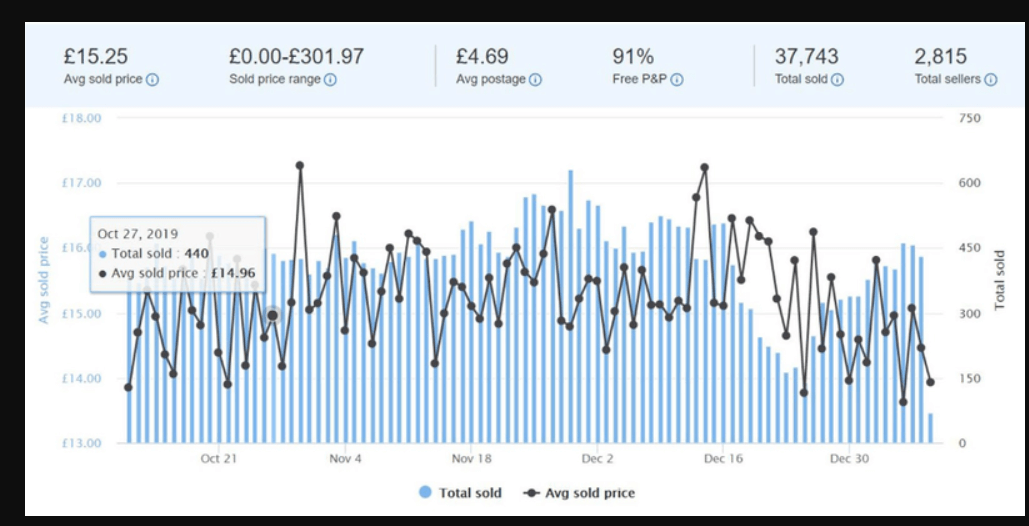
2. ZIK Analytics, best for eBay depth
ZIK Analytics fits high-volume eBay sellers who want competitor, category, title, and supplier research in one paid workflow. It goes beyond a sold-comp lookup by helping users move from a niche to competing listings and possible product sources.
Annual billing lowers the monthly cost. Compare the tier with the eBay tools and limits you'll use.
ZIK makes the most sense when research volume turns manual tab-switching into a real cost. Test it on products you already understand. Then compare its rival counts, supplier ideas, and sales signals with the original eBay listings.
Its main drawback is cost and plan packaging. ZIK can earn its price for an eBay-first seller who researches often. A casual seller may pay for work the free tool already covers. Cross-platform sellers need the plan for each market they use.
Check whether ZIK saves time
Test ZIK on five products you've already checked in Product Research, using the same market and date range. Compare its rival listings, supplier matches, and title terms with the original sold listings. Pay only if it cuts the time from search to shortlist. A valid supplier or rival you missed also justifies the price.
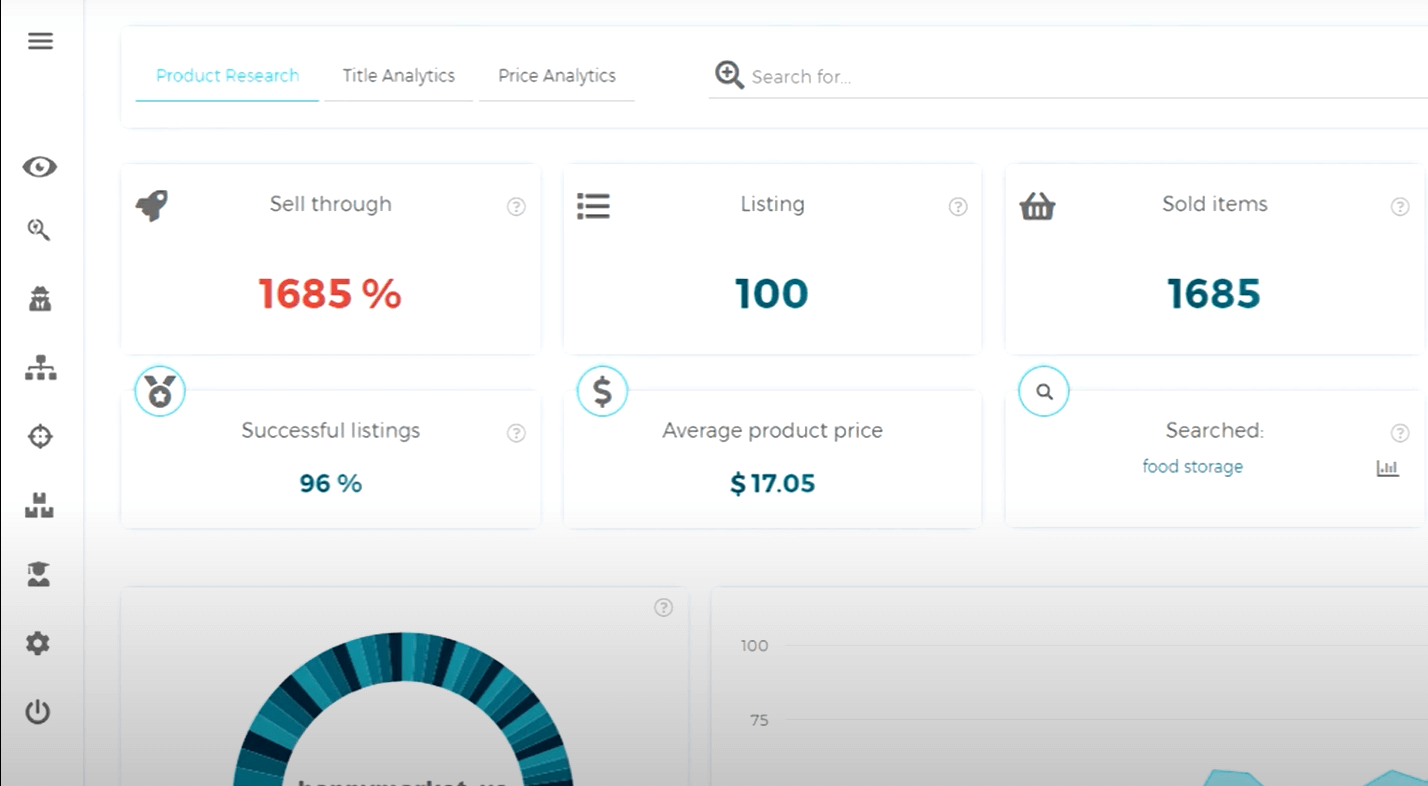
3. Algopix, best for multiple marketplaces
Algopix is the strongest fit when the same product decision must work across eBay, Amazon, and other marketplaces. A seller can compare demand and profitability signals without rebuilding the initial research process on every platform.
Algopix offer details Promo pages may show short-term discounts, so confirm the regular price and checkout total.
The tool helps decide where a product belongs across markets. For eBay sold comps alone, eBay's own data is more direct.
I'd use Algopix to compare where an item may sell, then check the eBay candidates against completed eBay sales. Those listings determine the price range you can reasonably expect.
Check each marketplace separately
Test Algopix by searching a product by model or UPC and comparing its price, fees, demand, and competition across markets. Open the matching eBay sold results and check the item, condition, and shipping terms. Use the tool only when that comparison changes where you would list the product.
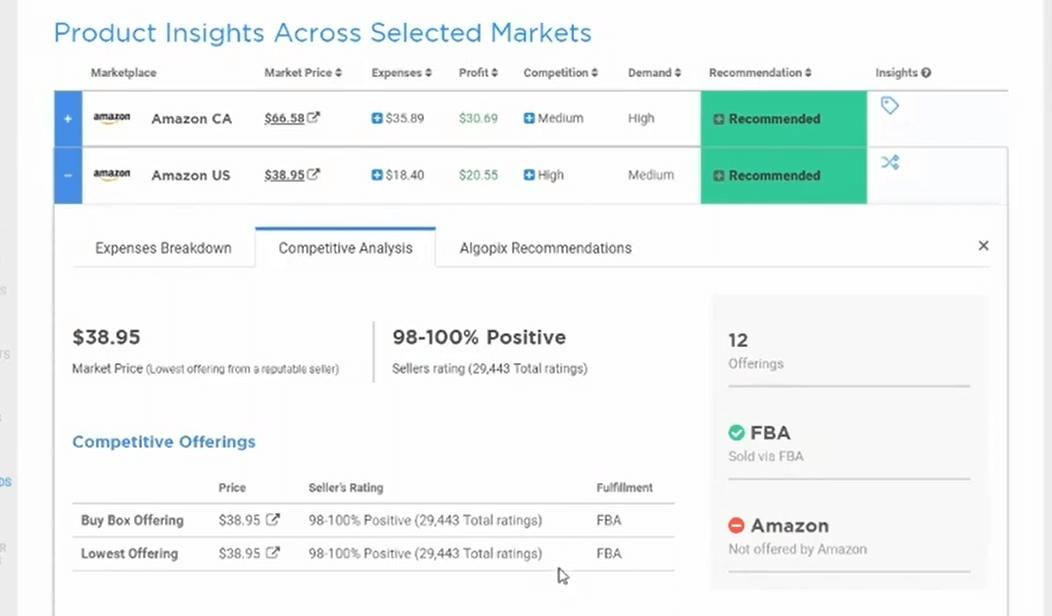
4. 3Dsellers eBay Research, best free extension
3Dsellers eBay Research is a practical free add-on for sellers who want sold history on the page they're inspecting. The Chrome extension adds sales pace and price ranges to live eBay pages. It also shows seller details and saved research.
The current help page says the extension is free, requires no 3Dsellers account, and computes its research locally from eBay pages. 3Dsellers eBay Research documentation That makes it easy to test without committing your store credentials to another research dashboard.
Its strength is context because you can inspect recent sales and seller activity beside the listing. Discovery is the weakness. The extension analyzes pages you already opened. That makes it narrower than a database designed to scan categories or surface new products.
Use it as a fast second view beside Product Research. Check the extension's sold history against the visible item details, and treat any limited sample as directional.
Compare panels with source listings
Test the extension on one fast seller, one slow seller, and one item with no recent sales. Compare each panel's time window, price spread, and sales pace with the underlying sold items. Keep it when the panel speeds up the check without hiding the listings behind its summary.
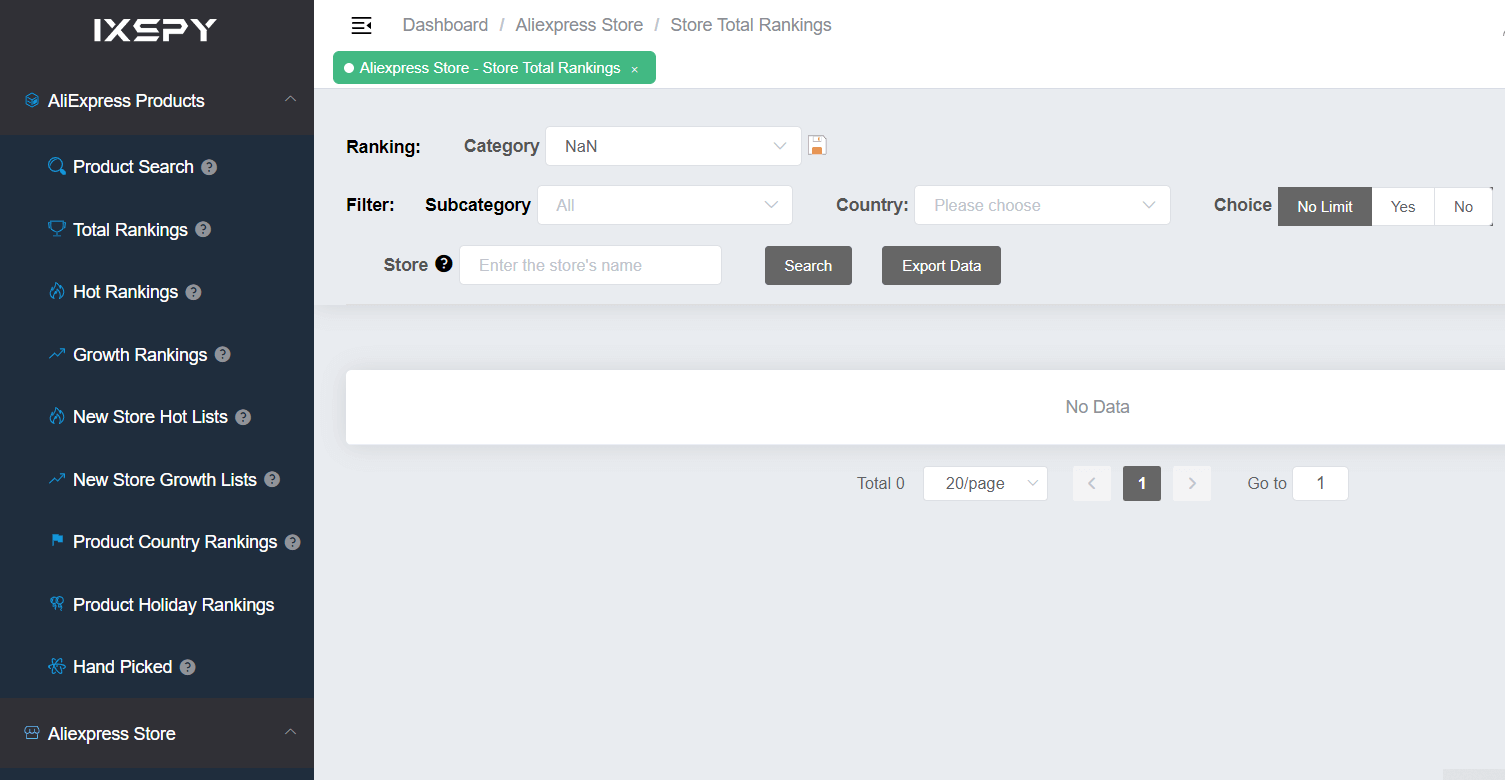
5. IXSPY, best for cross-platform discovery
IXSPY suits sellers who want to look for product signals across eBay, AliExpress, Shopify, Etsy, and related storefront sources. Its role is broader opportunity discovery rather than first-party verification of completed eBay sales.
IXSPY's current FAQ identifies an eBay Seller package. It shows current pricing and feature details only in the account upgrade flow.
The wider platform view can help a dropshipper spot products or suppliers before competitors appear in the same eBay category. Those signals still need an eBay check. A product that attracts attention on another storefront may face different prices, shipping expectations, or buyer intent on eBay.
Choose IXSPY when you need cross-platform discovery. Sellers who already have a product and only want sold comps have a shorter route through Product Research or 3Dsellers.
Confirm cross-platform leads on eBay
Test IXSPY on products with sales or ad activity across a full 30-day window. Record the source store, price, and first-seen date. Then match the same model, bundle, and shipping promise in completed eBay listings. Keep it only when several leads survive the eBay check and have more than one possible supplier.
6. Sell The Trend, best for research and integration
Sell The Trend fits dropshippers who want product discovery and eBay store operations in the same platform. Its eBay integration connects research with product imports, inventory monitoring, order handling, and fulfillment workflows.
The current page says users can find products and add them to an eBay store. Sell The Trend eBay integration It's a paid product. Judge the plan by the limits shown at checkout. Don't rely on an old price from a review.
This is the better option when finding products is easy but importing and monitoring them takes too long. Cross-platform popularity and AI tips still need confirmation from completed eBay sales.
Product Research is the better fit when you only need eBay sold data. Before adding more products, import one draft listing, trigger one controlled stock change, and place one test order. Check the tracking flow and return route too.
Test the full import workflow
Test Sell The Trend with one product that has a clear supplier match and completed eBay sales. Import it as a draft, review every listing field, trigger controlled stock and price changes, and place a test order. Keep the subscription only if the import, alerts, tracking, and return route all work from start to finish.
7. SaleHoo, best for supplier sourcing
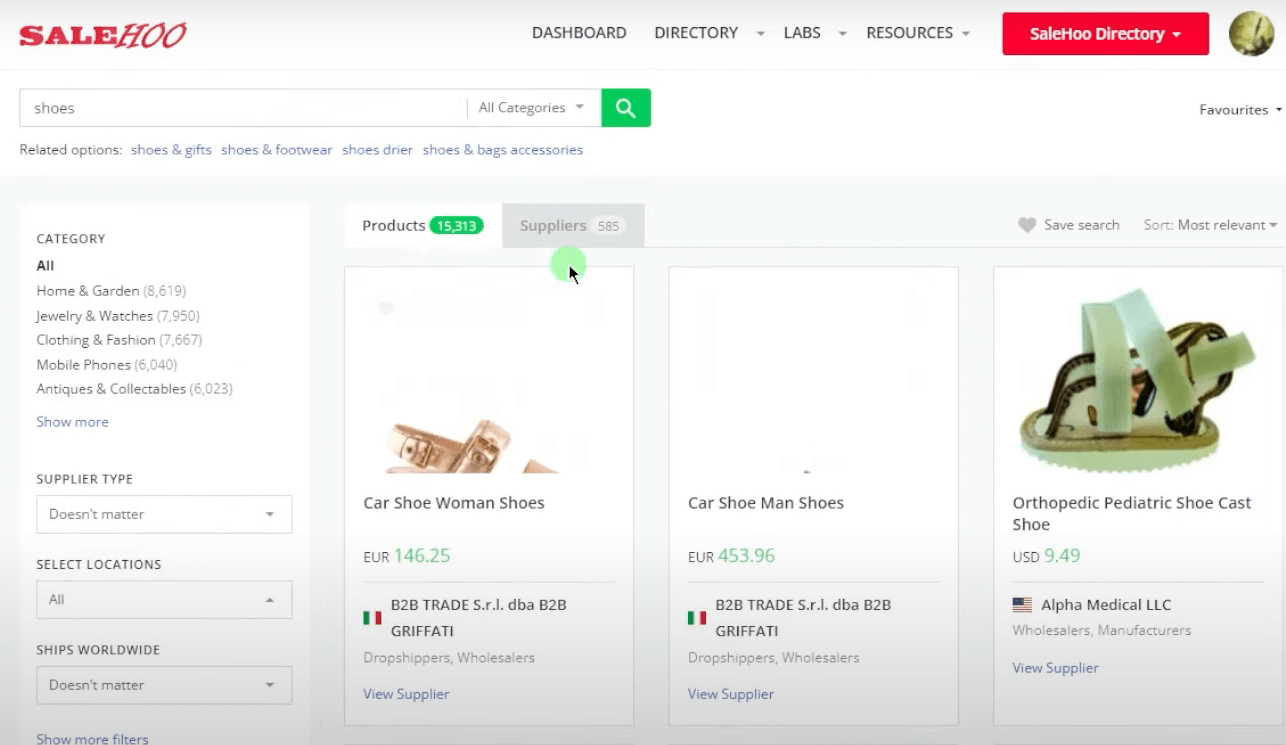
SaleHoo is best used after demand research, when the unresolved problem is finding a supplier you can evaluate. Its directory and product-research resources complement eBay sold data rather than replacing it.
Use it to build a shortlist of suppliers to contact and test.
Verify stock updates, handling time, tracking, return terms, packaging, and resale permission with each supplier. Place a test order before trusting service claims with a live eBay listing.
SaleHoo is a poor fit when you are still unsure whether the item sells. Do that work in Product Research first. It becomes useful once the evidence says yes and supplier quality is the next decision.
Prove supplier quality before paying
Test SaleHoo with one product that has already passed the eBay demand check. Compare at least three suppliers on location, minimum order, unit cost, handling time, stock updates, and returns. Send each the same questions, then pay only when one answers clearly and its sample arrives as promised.
8. AutoDS, best for research and automated listing
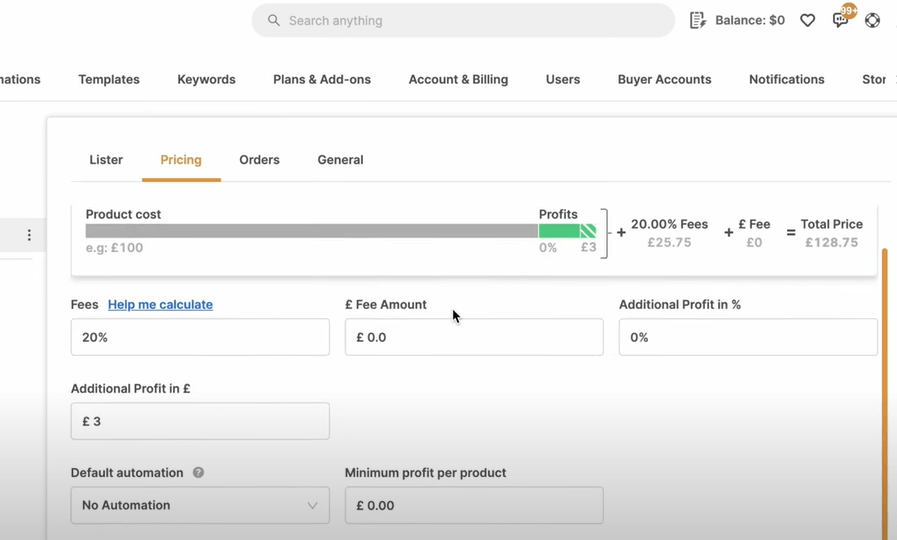
AutoDS fits sellers who want product finding, importing, stock monitoring, and order automation around an eBay store. It bundles research with operations, so its value rises when the repeated listing and monitoring work matters more than a standalone lookup.
Final pricing depends on the selected selling channel, plan, and limits. AutoDS pricing Confirm the eBay plan at checkout and include any add-ons needed for your actual workflow.
The subscription is most useful after a product is profitable and the supplier has proved reliable. It can then import the item and monitor changes. The product is too broad for a seller who only wants demand data.
Check sold data, calculate profit, and test the supplier before automating the listing. Automation saves repeated work after the item makes money and the supplier passes the stock, shipping, and return checks.
Test automation against manual work
Test AutoDS with one candidate whose sold data and supplier have already passed your checks. Import it as a draft, review every field, trigger controlled stock and price changes, and place a test order. Keep the subscription only if its alerts and tracking stay accurate. The automated workflow must also take less time than a manual listing.
What about Dropship.io?
Dropship.io covers different markets. Dropship.io's plans focus on Shopify and TikTok Shop, so it isn't ranked as an eBay sold-data tool. Our research tools comparison covers those use cases.
The side-by-side comparison is:
Turn research data into a real profit number
A sold-comp price shows expected revenue, so subtract supplier cost, shipping, marketplace fees, and other variable costs to estimate profit. Sell-through rate tells you whether demand exists relative to available listings. The remaining dollars must also cover returns, support, and errors.
Sell-through rate helps you judge demand, but it doesn't enter the per-item profit equation. If you confuse those two questions, a fast-selling product can still lose money.


