

9 Best Commerce Inspector Alternatives For Dropshipping (2026)
Nine Commerce Inspector alternatives are compared by store tracking, product research, ad coverage, free access, and platform fit.
The best commerce inspector alternatives are the options whose features, data coverage, and workflow best match the job you need done. This 2026 review compares 9 named options across usability, integrations, support, and non-price limits to build the shortlist below.
Key takeaways
Is Commerce Inspector still around, or did it rebrand?
Commerce Inspector is still available, but its parent brand changed to Shine Commerce in 2023 while the extension kept the Commerce Inspector name. The old website now routes visitors to Shine Commerce, which explains why the product can look discontinued even though the research tool remains active.
A current review also identifies Shine Commerce as the rebranded product. Subscribers may therefore see the Shine Commerce name on an invoice for the same tool.
Judge the tool by its store limits, estimate quality, and workflow fit.
What to look for in a Commerce Inspector alternative
The best alternative matches your actual research job. An ad library won't replace Shopify product and revenue estimates. A store tracker adds little if you only want TikTok ad ideas.
I compare every option on the following five points:
- Core job: store tracking, product research, or ad spying
- Entry price: the cheapest useful paid access
- Free access: a tier, trial, or neither
- Coverage: Shopify, TikTok, Facebook, or multiple platforms
- Drawback: the limit most likely to affect a decision
Shine Commerce's public pricing page returns an error, making checkout the only current first-party price.
For a wider market view, compare these Shopify spy tools. The matrix below shows how the ten products differ.
Store limits matter because a low entry price can become expensive once your watchlist grows. Count the stores you must follow at the same time, then compare that number with each plan's limit. A three-store plan can suit one focused niche, while broader research may require the next tier.
Platform coverage deserves the same care. Facebook or TikTok ad data can help with creative research, but it can't replace Shopify product changes or estimated orders. Paying for the wrong data source leaves the original research question unanswered, even when the subscription costs less.
9 Best Commerce Inspector Alternatives For Dropshipping
These nine tools cover Commerce Inspector's main use cases, but they aren't interchangeable. Start with the job you need done. Then compare the matching entries:
- Dropship.io: full product and ad research
- PPSPY: Shopify sales and store tracking
- Ecomhunt: curated product analysis
- BigSpy: multi-network ad research
- DropiSpy: Facebook dropshipping ads
- PiPiAds: TikTok ad spying
- ShopHunter: web-based store tracking
- Koala Inspector: free store lookups
- Shopify Spy: raw product exports
The reviews below apply the same criteria to each tool.
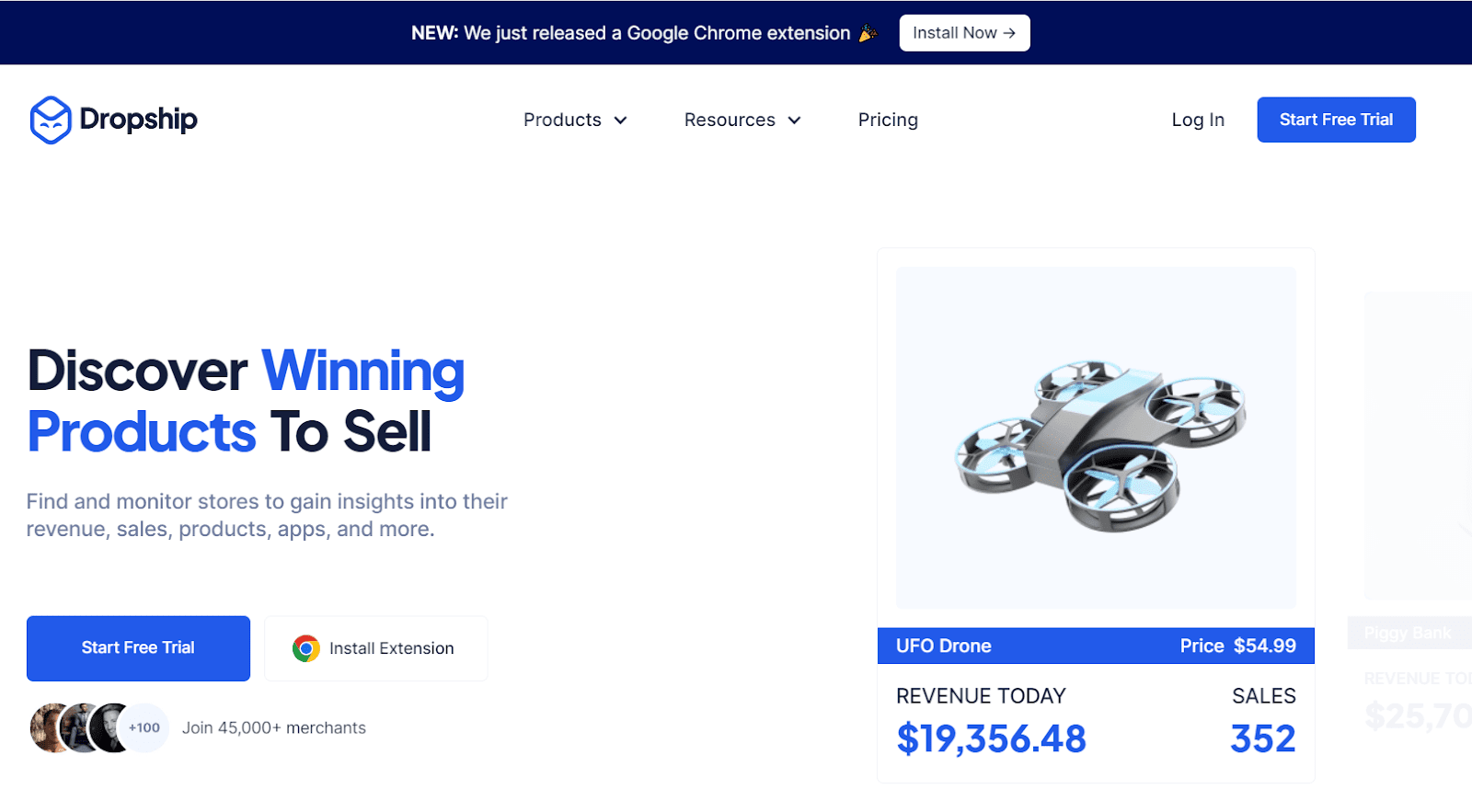
1. Dropship.io: Best full-featured alternative
Dropship.io is the best fit when you want product, competitor, and ad research in one workflow. Its Product Library, Ad Library, Competitor Research, and Chrome extension connect product discovery with storefront inspection.
Dropship.io's Sales Tracker and Shop Library currently cover TikTok Shop. Shopify product and competitor research remains available, but the suite won't estimate another Shopify store's daily sales.
I would start here when a product idea still needs several checks. Inspect related products and active ads, then review the stores selling those items. Comparing prices and creative angles in one place exposes gaps before you source anything.
For a mature store, dedicated ad and product tools may already cover this ground. If they do, pay only for the store-tracking feature you still need.
This split makes the choice simple. Use Dropship.io while testing what to sell and how to market it. Choose a dedicated tracker when estimating Shopify store sales is the main task.
Its main tradeoffs are:
- Core job: product, competitor, and advertising research
- Best fit: sellers validating products across several signals
- Advantage: one connected research and import workflow
- Drawback: no live Shopify sales tracking
2. PPSPY: Closest Shopify tracking match
PPSPY is the closest replacement for Commerce Inspector's Shopify sales-estimation and store-tracking job. The web app combines sales tracking, product research, ad lookup, theme detection, and a Chrome extension.
Tracker limits are 30, 100, and 300 stores and ads, and the trial doesn't require a card. PPSPY is a better match than an ad-only library because it stays centered on Shopify stores. Its model estimates sales from public data.
Use relative trends to shortlist stores instead of building forecasts around displayed revenue. A rising pattern across several days matters more than one large estimate.
The tracker limit should guide your plan choice because thirty slots suit a tight niche. A broad search across several niches can fill them quickly. Save only stores that deserve ongoing tracking, which keeps the lower plan useful longer.
Test its estimates against stores you understand. Known launches and promotions should appear in the trend, showing whether the model reacts in a useful way.
The clearest fit is:
- Core job: Shopify sales, product, ad, and theme research
- Best fit: sellers replacing Commerce Inspector's tracking workflow
- Advantage: transparent tiers and tracker limits
- Drawback: modeled estimates and Shopify-only coverage
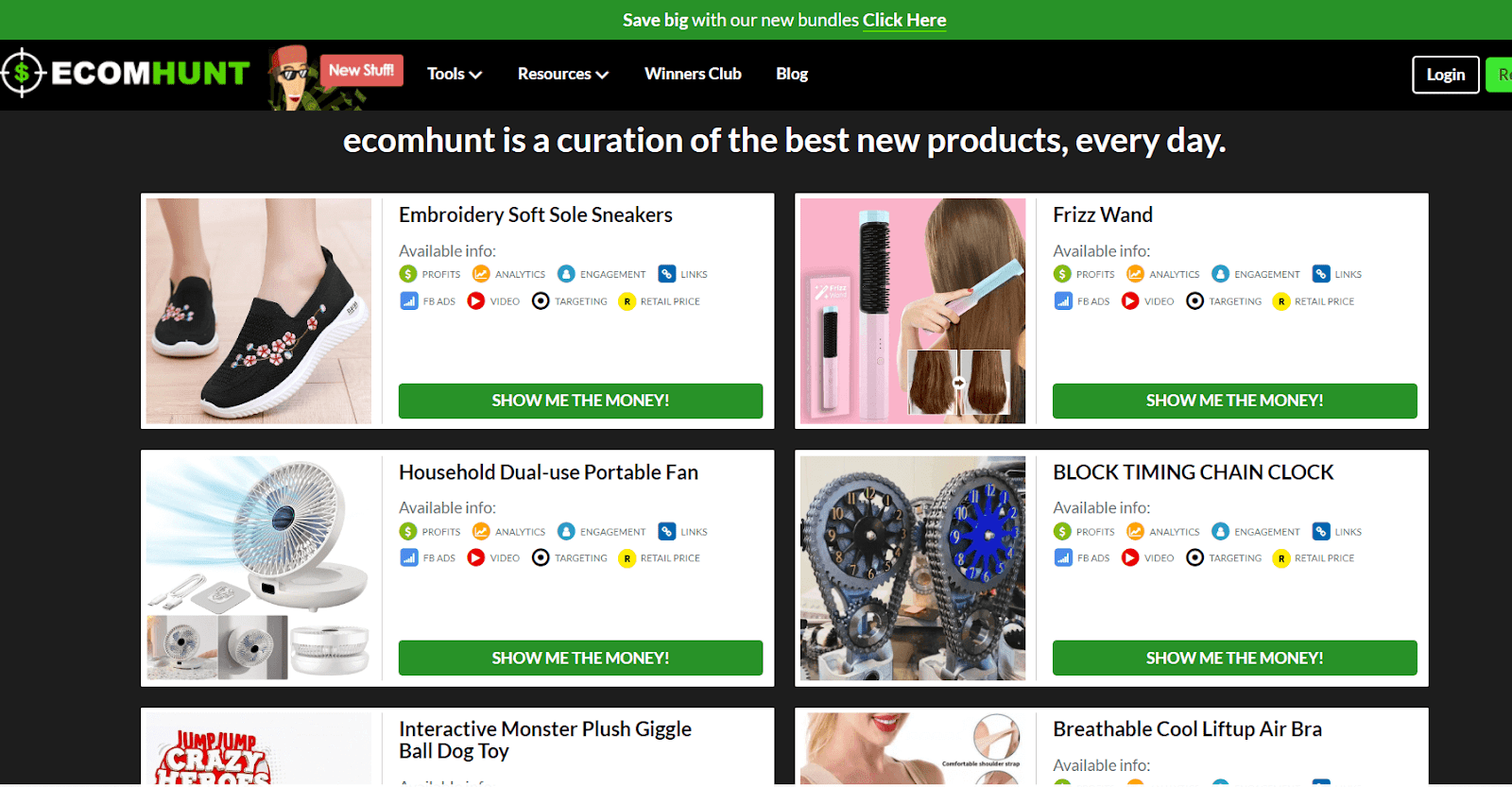
3. Ecomhunt: Best for curated product analysis
Ecomhunt is best for sellers who want a prepared product shortlist instead of competitor-store monitoring. Its product pages combine supplier links, suggested prices, ad examples, and saturation data.
The tradeoff is that Ecomhunt answers a different question from Commerce Inspector. It helps you assess products, but it isn't a dedicated tool for following a competitor store over time.
Ecomhunt works best at the start because prepared pages reduce blank-screen time. They also expose cost and saturation assumptions early. You still need to verify each supplier, margin, and offer before moving ahead.
I would avoid using its suggested price as a fixed rule. Search the same product in your target market for stronger offers or faster shipping. Those results should guide your final price.
Ecomhunt earns its place because it reduces product-search work rather than copying Commerce Inspector's tracking model. That difference helps beginners, while sellers with a fixed niche may outgrow the curated feed.
Use these boundaries:
- Core job: curated product discovery and analysis
- Best fit: sellers building an initial product shortlist
- Advantage: decision data appears on one product page
- Drawback: weak substitute for ongoing store tracking
4. BigSpy: Best for Facebook and TikTok ad libraries
BigSpy is a strong choice for broad ad research, but it isn't a store-tracking replacement. It searches creatives across Facebook, Instagram, TikTok, YouTube, Pinterest, and Google.
BigSpy advertises free access, although useful search volume and filters sit behind paid plans. It won't give you Shopify store or product-sales estimates.
Review BigSpy alternatives when ad-library coverage is the job you're buying for.
The strongest use is creative research across ads that have run for meaningful periods. Group them by hook and offer, then look for repeated choices. One popular ad can be luck, while repeated patterns support a firmer test.
Don't copy an ad frame for frame because its profit and failed tests remain hidden. Use the shared pattern to form a new angle, then build original assets.
Its place on this list is as a partial substitute. It replaces the advertising-research part of Commerce Inspector, while leaving store performance and product-sales research to another tool.
BigSpy works best within these limits:
- Core job: multi-network advertising research
- Best fit: sellers planning creative and channel tests
- Advantage: broad platform coverage and free access
- Drawback: no store-level sales research
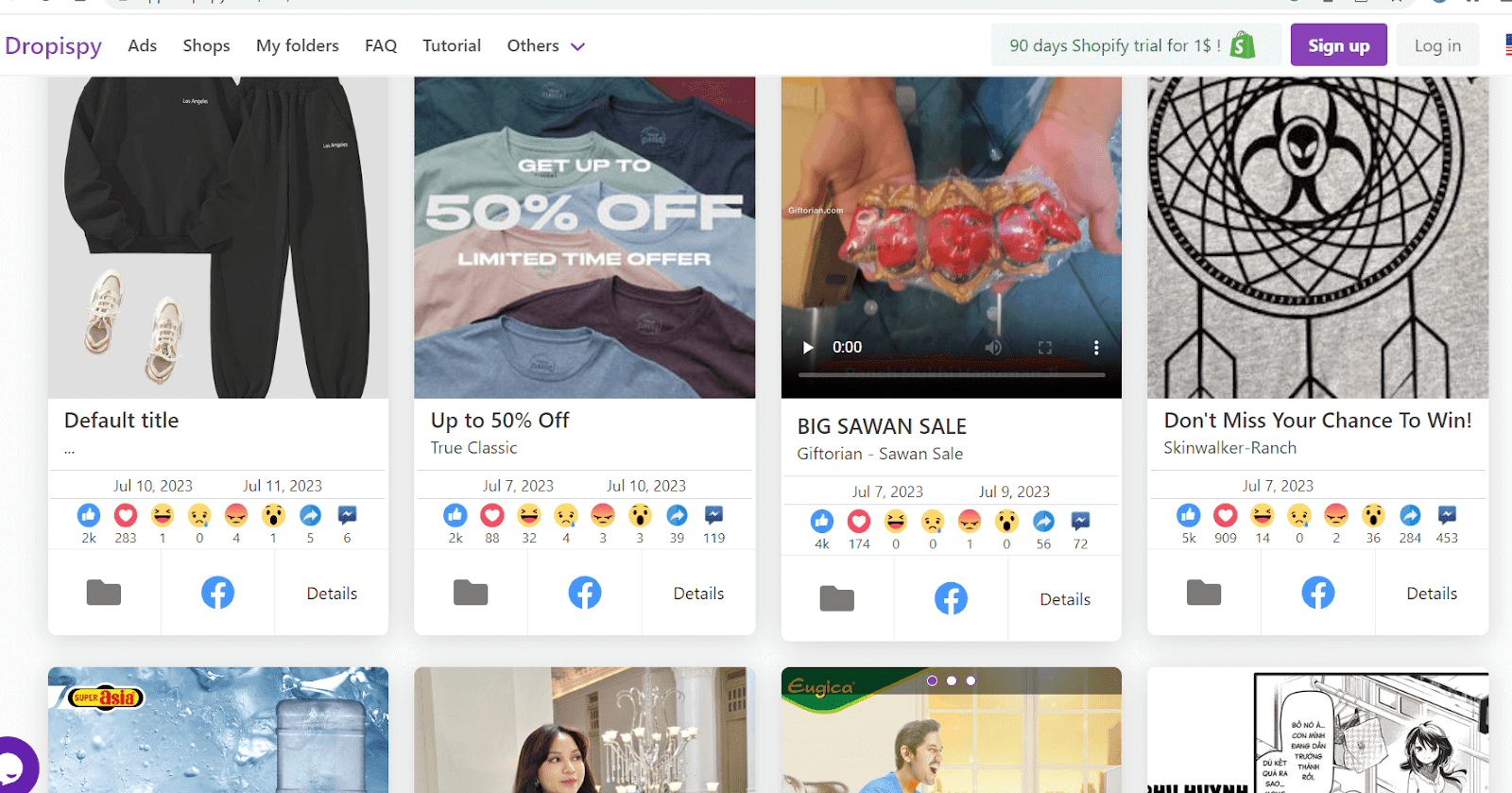
5. DropiSpy: Best for Facebook ad research
DropiSpy suits sellers who want Facebook ads filtered around dropshipping products and stores. The interface combines ad search, engagement data, store rankings, and winning-product views.
DropiSpy has no TikTok coverage and doesn't replicate Commerce Inspector's store-sales tracking.
Its focus helps when your question is narrow, such as how dropshipping offers appear on Facebook. Comparing engagement across similar creatives can speed up early ad planning. The results still can't show whether those stores kept their margin.
Choose it after deciding Facebook is your main channel, or the narrow coverage becomes a blind spot. Mixed-channel sellers may need BigSpy or a separate TikTok tool. That extra subscription can erase the apparent savings.
DropiSpy becomes more useful when your niche relies on Facebook video and image ads. Sellers who already know their products can skip broader discovery features and focus on creative patterns.
The Facebook-only choice means:
- Core job: Facebook dropshipping ad research
- Best fit: sellers focused on Facebook creative
- Advantage: filters designed around dropshipping research
- Drawback: no TikTok or store-sales tracking
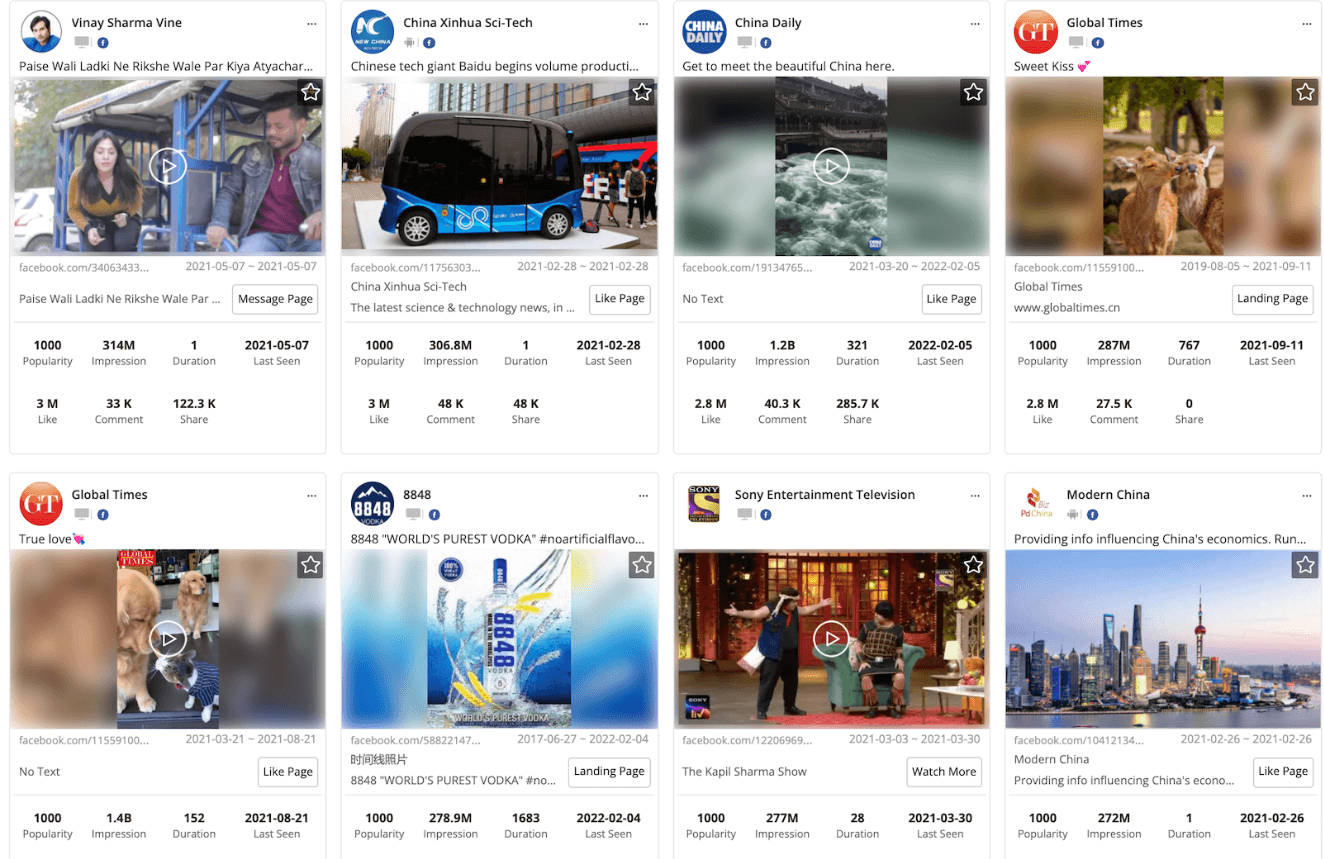
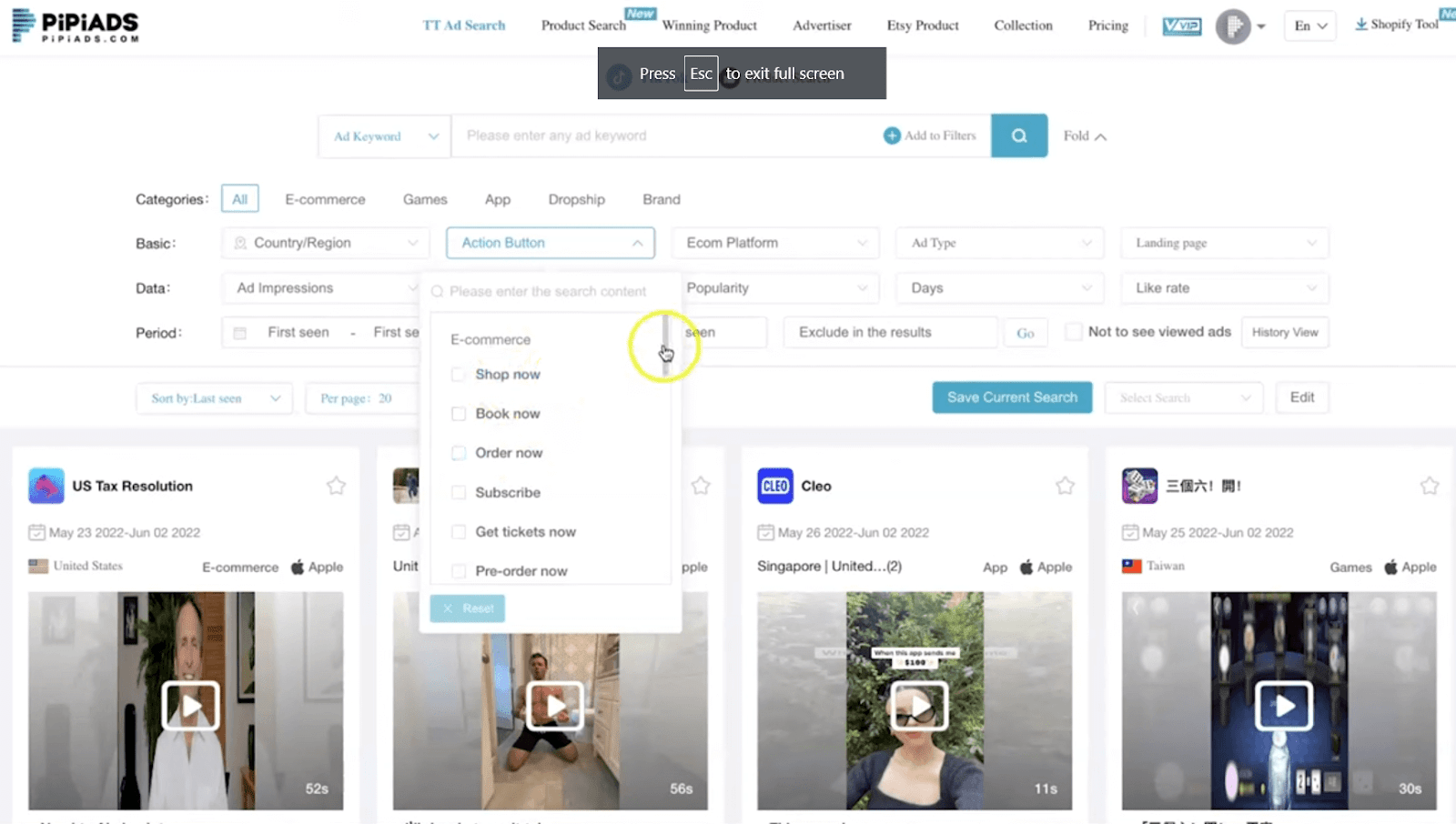
6. PiPiAds: Best for TikTok ad spying
PiPiAds is the best fit here when TikTok ad evidence matters most. Its search tools cover ads, advertisers, products, impressions, engagement, and targeting filters.
Credit-metered access can make heavy research harder to budget. Our ad-spy alternatives comparison documents the PiPiAds billing complaints behind that risk. Buy it when TikTok ad intelligence is the job you need done.
Start with a country, product type, and time window because broad searches burn credits. Save advertisers that show repeat activity, then compare their hooks and offer changes. Continued spend is more useful than one large impression count.
The TikTok focus creates a clear boundary because one winning video doesn't prove Shopify demand. Pair the ad evidence with supplier checks and margin math. Add a store tool when you also need sales estimates.
PiPiAds is therefore a channel specialist for TikTok ad research. It can show which creatives keep running, while your storefront and supplier checks decide whether the product fits.
For TikTok-first research, the tradeoffs are:
- Core job: TikTok advertising and product research
- Best fit: TikTok-first sellers and creative teams
- Advantage: focused TikTok filters and advertiser data
- Drawback: credit metering and no Shopify tracking
7. ShopHunter: Best web-app sales tracker
ShopHunter is a close web-app alternative for monitoring Shopify stores, products, sales estimates, and ads. Its public product page says tracked stores receive hourly product-performance updates.
I wouldn't put ShopHunter first because it hides plan pricing and lacks an independent audit. User reports have also questioned its accuracy. Trend data can still help when you compare several known stores first.
Hourly updates can show a cleaner trend, but frequency doesn't ensure accuracy. Compare any reported sales jump with the store's product changes and current ad-library activity.
The missing public price prevents a clean value check before entering its sales flow. It also makes direct plan-by-plan comparison impossible before signup.
Test PPSPY's clear limits first when price transparency matters. Return to ShopHunter only when its workflow offers a real gain.
ShopHunter still earns a place because its web app follows the same Shopify stores over time. That ongoing watchlist is closer to Commerce Inspector than a one-off browser lookup.
ShopHunter's fit comes down to:
- Core job: web-based Shopify store monitoring
- Best fit: sellers wanting frequent tracked-store updates
- Advantage: sales, product, and ad signals together
- Drawback: no public pricing or audited estimates
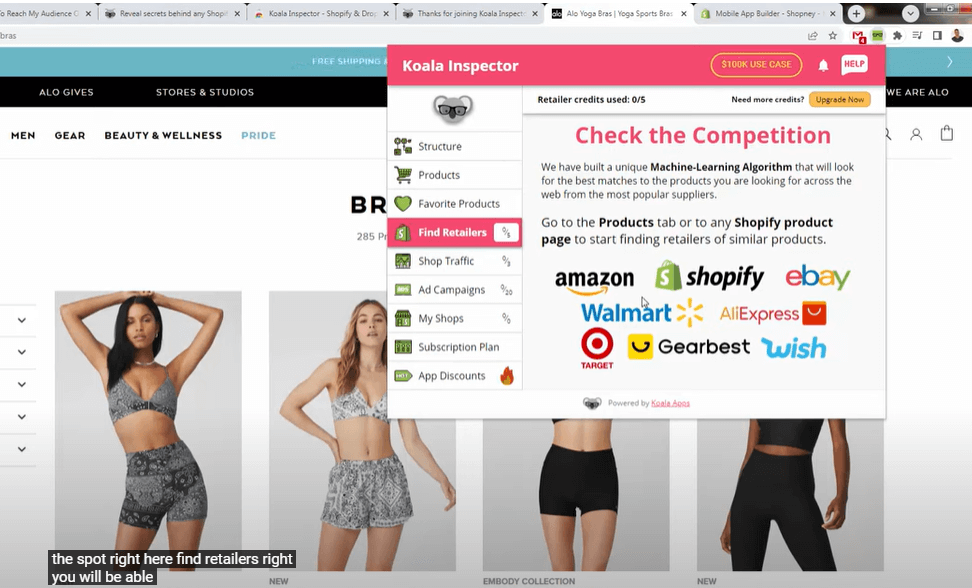
8. Koala Inspector: Best free alternative
Koala Inspector is the free option for theme, app, product, and store checks. The extension works while you browse a storefront, which suits one-off inspections.
Its current Chrome Web Store listing shows 200,000 users, a 4.7 out of 5 rating from 744 ratings, and version 4.16.
The free browser workflow makes quick checks easy, but free use is capped. If you need historical comparison across a large watchlist, PPSPY or ShopHunter is closer to Commerce Inspector's tracking role.
I use this type of extension for quick checks and keep forecasts separate. Inspecting a store's theme, apps, and products takes less effort than building a tracked list. It also answers setup questions before they distract you.
The free tier works best for occasional research, while frequent checks expose its caps. Don't upgrade by habit once that happens. Decide whether you need more lookups or deeper tracking because they require different tools.
The free workflow has these limits:
- Core job: quick storefront inspection
- Best fit: free theme, app, and product checks
- Advantage: fast browser-based workflow
- Drawback: capped access and directional estimates
9. Shopify Spy Scraper & Parser
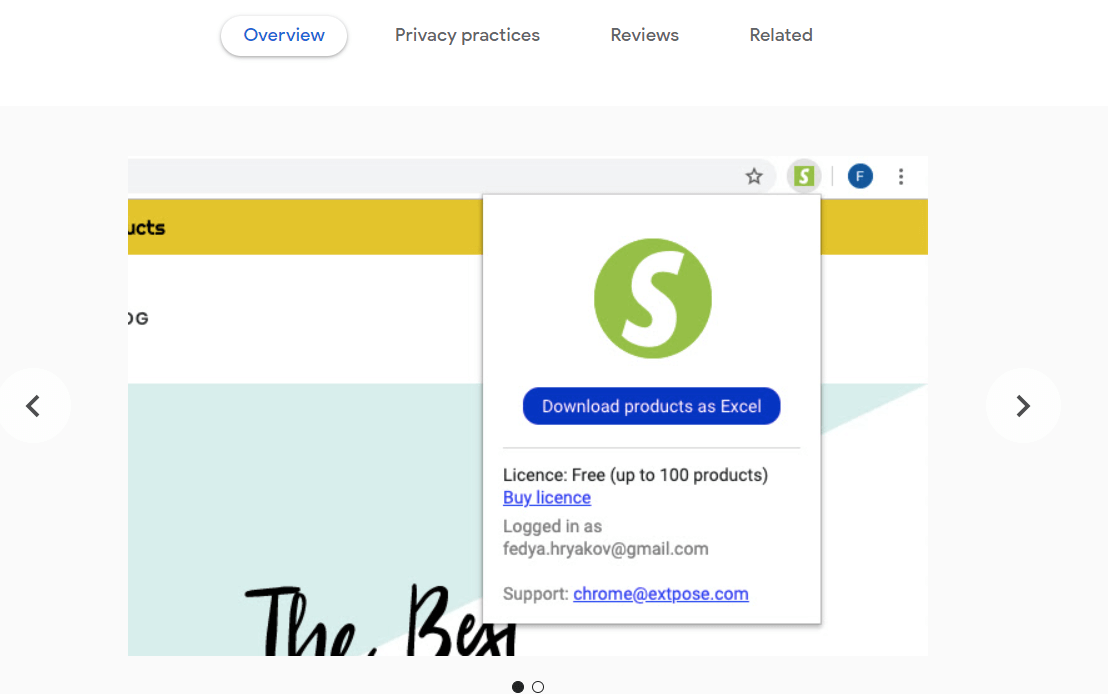
Shopify Spy suits technical users who want to analyze raw product exports themselves. The Chrome extension sends Shopify product data to CSV or Excel.
The extension exports rows, but you must decide how to compare them. You'll need spreadsheet skills and your own method. The export answers custom questions without estimating revenue or ranking products.
Set your spreadsheet columns before collecting data and keep only fields that affect the choice. Price, product age, tags, and image counts may help. A clear question makes the raw export useful without creating cleanup work.
This tool offers little guidance and leaves weak samples or strange values for you to explain. Your spreadsheet rules determine whether the export becomes useful evidence.
Choose that control only when you don't need guided analysis.
Shopify Spy earns its place because fixed dashboards can't answer every product-data question. A clean export lets you sort fields and build a comparison that matches your niche.
For spreadsheet-led research, expect:
- Core job: raw Shopify product-data export
- Best fit: spreadsheet users with custom analyses
- Advantage: inexpensive access and flexible output
- Drawback: no dashboard, estimates, or guided verdict
Why do you need a spy tool?
A store-spy tool helps you judge whether a product or store is gaining sales traction. A storefront alone can't answer that question. The tool collects product changes, reviews, ads, page data, and order patterns. It turns those clues into an estimate.
Each data type answers a different question:
- Ad activity shows where a seller is spending.
- Product changes show what the store is testing.
- Reviews can show buyer activity over time.
- Sales trackers model movement from public store data.
No tool here can see another merchant's Shopify admin, refunds, or costs. Use revenue figures to compare direction and consistency because they aren't audited totals. If Shopify estimates decide the purchase, our sales tracker roundup narrows the field.
You can reject weak products sooner and spot questions worth deeper research. Apply the same filters each week and compare similar stores on equal terms. Consistency helps you notice real changes instead of reacting to whatever caught your eye.
More data eventually stops helping. If three sources show weak demand, another dashboard rarely changes the answer. Spend the saved time on a stronger candidate and build a better shortlist.
What to do after seeing the spy tool data
Spy-tool data starts validation, while your checks approve or reject the product. Those checks must cover margin, supply, and advertising risk.
Work through these steps:
- Shortlist products with steady sales or ad activity across several days.
- Compare storefront price, supplier stock, and current ad-library activity.
- Verify supplier stock, delivery times, returns, and sample quality.
- Calculate landed cost before setting a target selling price.
- Build several original creatives instead of copying a competitor.
- Set an ad-spend cap and stop if it produces no sale.
- Compare actual conversion and margin with your assumptions.
The math comes before excitement, so set a target return on ad spend. Include shipping, payment fees, refunds, and creative costs. A strong research signal can't rescue a margin that won't support customer acquisition.
Write each assumption beside the numbers, including price, shipping cost, conversion rate, and refund rate. When results differ, change the failed assumption instead of condemning the whole niche.
You should also order a sample before scaling. Research software can surface a promising store or product, but it can't inspect build quality, packaging, or supplier reliability for you.
My practice is to set a stop rule before a campaign starts. A loss limit, low conversion threshold, or repeated shipping failure can serve as that rule. Set it while the choice is still calm.
Clear stop rules protect your budget from a product that only looked strong inside a research tool.
FAQ
What's the best free alternative to Commerce Inspector?
Koala Inspector is the free pick for quick storefront checks. Shopify Spy fits better when you need a free spreadsheet export for up to 100 products.
How much does Commerce Inspector cost now?
The clearest public Commerce Inspector price baseline comes from a current secondary source. The figures appear in the criteria section above, while the broken Shine Commerce pricing page leaves checkout as the current first-party total.
How do Koala and Commerce Inspector differ?
Koala checks the current storefront on demand, while Commerce Inspector saves stores and tracks changes over time. Koala fits occasional theme, app, and product checks. Commerce Inspector's store limits suit a recurring watchlist when its price fits your volume.
Can I use more than one of these tools together?
Yes, pairing a store-inspection tool with an ad library covers storefront and advertising evidence without duplicating the same job.


